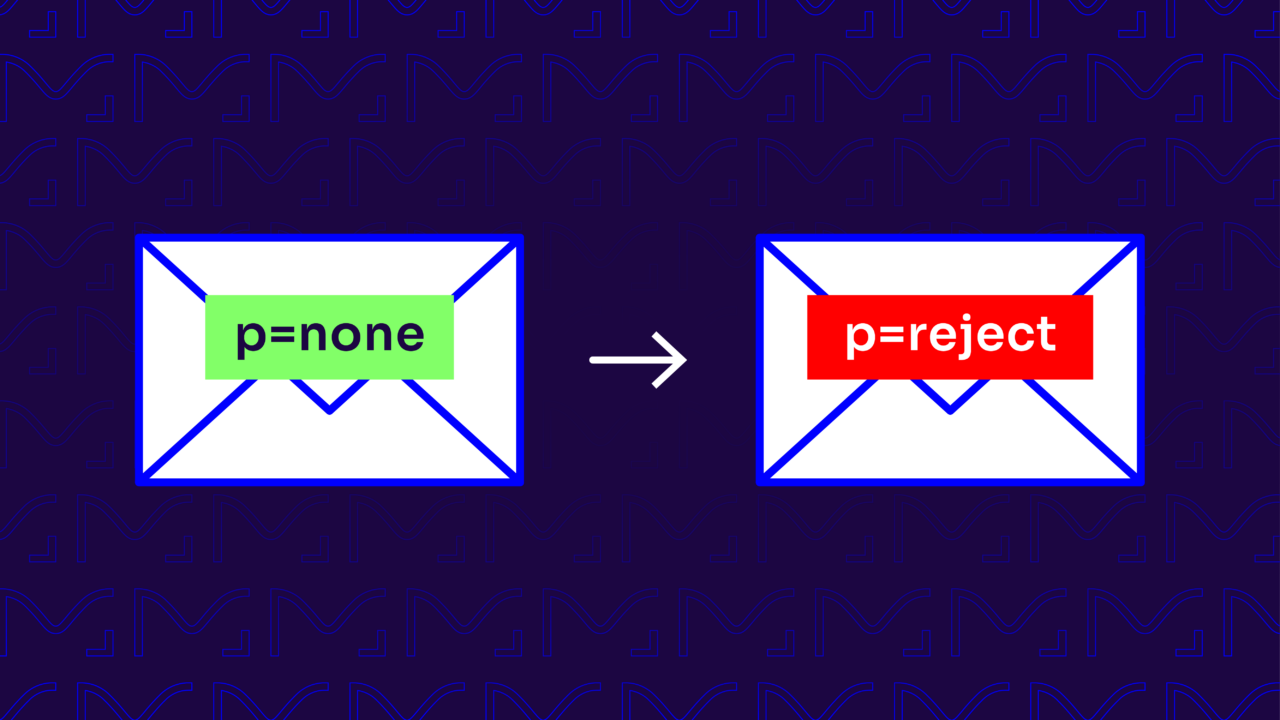
TLDR: A DMARC policy tells inbox providers what to do with email that fails authentication. p=none monitors only, p=quarantine sends failing mail to spam, and p=reject blocks it outright. p=reject is the goal, because it’s the only policy that stops spoofing, but you get there in stages: start at p=none to see who’s sending as you, move to p=quarantine once your legitimate senders pass, then to p=reject. Jumping straight to reject risks blocking your own mail.
Imagine your CEO getting an urgent email from your CFO asking for a wire transfer. It looks right, the name, the tone, the domain.
But it isn’t.
The money’s gone before anyone checks. That’s exact-domain spoofing, and the only thing that reliably stops it is a DMARC policy set to p=reject.
Ultimately, you can’t flip that switch on day one. Go straight to p=reject before your legitimate senders are authenticated, and you’ll block your own invoices, newsletters, and password resets along with the fakes.
Getting to reject safely is a staged process, and this guide walks you through it: what each policy does, how to tell when you’re ready to tighten, and how to move from p=none to p=reject without a deliverability scare along the way.
Understanding the three DMARC policies
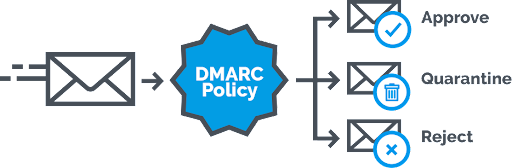
You can set three main policies: p=none, p=quarantine, and p=reject.
- p=none: This is like having your email security in observation mode. Your domain is monitored, but no action is taken against unauthenticated emails. It allows you to monitor and understand your email traffic without any disruptions.
- p=quarantine: Think of this as putting suspicious emails in email jail. Unauthenticated emails get sent to the spam or junk folder instead of reaching the inbox. This policy helps reduce the risk of phishing by diverting potentially harmful emails away from the inbox but still allows you to review them.
- p=reject: This is the strictest policy. Unauthenticated emails are outright rejected, meaning they never even make it to the recipient’s inbox. It provides the highest level of protection by stopping fraudulent emails from being delivered at all. This is where you aim to be for maximum security.
Are you unsure of what policy your domain is at? Check your domain status for free with our Valimail Domain Checker.
What happens when you set DMARC to p=reject?
When your policy is p=reject, inbox providers block any message claiming to be from your domain that fails authentication, it never reaches the recipient. Legitimate mail that passes SPF or DKIM and aligns with your domain is delivered normally, so if you’ve done the groundwork at p=none and p=quarantine, your real senders won’t notice a thing.
The only mail that disappears is the unauthenticated kind, which is exactly the spoofing you’re trying to stop.
This is why the preparation matters: reject is only safe once your legitimate senders are all authenticated.
Benefits of implementing a strong DMARC policy
Ultimately, p=reject should be your goal—anything less isn’t complete protection. And the results are well worth the investment. Here are some of the benefits you can expect from moving to p=reject:
- Stronger Security: Emails failing authentication checks are outright rejected, preventing them from ever reaching your recipients. This reduces the risk of phishing attacks, email spoofing, and other malicious activities that could compromise your organization.
- Brand Protection: Customers and partners are less likely to receive fraudulent emails that appear to come from your domain—and that builds trust with your audience.
- Reduced Risks: Phishing and spoofing attacks can lead to financial losses and costly remediation. Prevention is better than cure, and DMARC keeps those risks at bay.
- Better Email Deliverability: Although it might seem counterintuitive, moving to p=reject actually improves your email deliverability. Less fraudulent email means fewer messages marked as spam—and that’s going to win you favor with inbox providers.
- Compliance with Industry Standards: Google and Yahoo’s new sender requirements force every email sender to adopt a DMARC policy. While they only require a policy of p=none, it’s a sign that the times are changing—and it wouldn’t be surprising if they updated conditions in the future to require p=quarantine or p=reject.
If you’re still unsure which policy to choose, check out our blog post:
Why start with p=none?
Starting with p=none lets you observe and learn without making any drastic changes (yet). It allows you to monitor your email traffic without impacting your email delivery. Here, you’ll see what’s happening under the hood, gather insights, and prepare for more stringent policies.
In p=none data-gathering mode, you can analyze which emails pass authentication checks and which don’t. This helps you understand your email flows and identify any issues that might need addressing.
One of the most important parts of the monitoring phase is identifying legitimate email sources. You’ll figure out which senders are authorized to send emails on behalf of your domain. Once you know who’s sending emails on your behalf, you can authenticate the legit senders and get ready to move to stricter DMARC policies.
Signs you’re ready to evolve from p=none
While it’s important to start at p=none, that’s not where you want to stay. Monitoring doesn’t protect your business—it just helps you watch it. Eventually (hopefully sooner rather than later), you’ll want to move to a stricter DMARC policy.
Here’s how to know when you’re ready to move beyond p=none:
Consistent reporting
The first sign that you’re ready to move from p=none is when you’re getting consistent and comprehensive DMARC reports. These reports should provide a clear and detailed picture of your email traffic.
You’re on the right track if you can reliably see which emails are passing and failing authentication checks.
Confidence
You need to be sure who is sending emails on behalf of your domain. By now, you should have a list of all authorized senders and services and be confident that they are properly authenticated.
This confidence comes from continuous monitoring and analyzing your DMARC reports. Knowing that legitimate emails are being correctly authenticated and delivered is a good sign you’re ready to tighten your policy.
Minimized false positives
False positives occur when legitimate emails are incorrectly flagged as unauthenticated. During the p=none phase, you should work to minimize these errors by fine-tuning your email authentication settings. If your reports show a low number of false positives, it means you’ve successfully identified and authenticated all legitimate email sources.
How to transition to p=reject
Jumping into p=reject can feel a bit intimidating, but you don’t have to go there just yet. Instead, consider a gradual approach by first moving to p=quarantine. This way, any unauthenticated emails are directed to the spam or junk folder instead of being outright rejected.
It’s a safer middle ground that allows you to see the impact of stricter policies without risking the loss of legitimate emails.

1. Monitor impact
Keep your eyes on those DMARC reports as you transition to p=quarantine. Watch how your emails are filtered and double-check that legitimate emails aren’t misclassified. Regularly review these reports to fine-tune your settings and catch any issues early.
2. Communicate with stakeholders
Don’t make this transition in a vacuum. Communicate the changes with all relevant stakeholders. This includes your IT team, marketing department, and any external partners who send emails on your behalf. Everyone should be aware of the changes so they can prepare accordingly.
3. Update your DNS records
When you change your DMARC policy, you need to update your DNS records to reflect the new settings. Make sure to double-check your SPF and DKIM records are correctly configured.
4. Invest in the right solutions
Transitioning to p=reject can be smoother with the right solutions—and that’s where we can help. Valimail Monitor is a free solution that helps you identify all services and sending activity from your domains. And when you’re ready to make the leap DMARC enforcement, Valimail Enforce helps you accelerate your path with world-class automation solutions to guarantee non-stop protection.
7 Best practices for implementing p=reject
The path toward DMARC enforcement isn’t always straight and narrow—it’s often filled with curve balls and surprises. Following a handful of best practices can set you up for success and guarantee a successful implementation:
1. Regularly review and update your policies
Email security isn’t a set-it-and-forget-it task. As your organization grows and evolves, new email sources will inevitably be added—and your email practices may change.
Take time to periodically check your DMARC setting and make any necessary adjustments. This will keep your legitimate email sources properly authenticated and up-to-date.
2. Communicate with email providers
Stay in close contact with your email service providers (ESPs). They can provide insights and help you properly authenticate and deliver your emails. Regular check-ins with your ESPs can help you stay ahead of any changes in their systems or protocols that might affect your email authentication.
3. Monitor your email deliverability
Keep an eye on your email deliverability rates. We’ve seen up to a 10% boost in email deliverability after successfully getting to DMARC enforcement—if you’re seeing the opposite, there’s a problem.
If you notice any drop in deliverability, investigate and address the issue as soon as possible.
4. Use DMARC aggregate reports
DMARC aggregate reports provide a comprehensive view of all email traffic claiming to come from your domain. They show the number of emails successfully delivered, those that were rejected, and the specific reasons for any delivery failures.
Use these reports to identify trends, spot potential issues, and improve your email authentication setup. They help you see patterns and anomalies in your email traffic to better fine-tune your DMARC settings.
5. Implement multi-layered security measures
While DMARC is a powerful solution, it’s even more effective when used with other security measures. You’ll already have SPF and DKIM to enforce DMARC, but you should also look at other cybersecurity tools and best practices:
- Multi-factor authentication (MFA)
- Anti-Phishing Filters
- Transport Layer Security (TLS)
- Secure Email Gateways (SEGs)
- Employee Training and Awareness
- Authenticated Received Chain (ARC)
- Data Loss Prevention (DLP)
- Incident Response Plan
6. Set up alerts for suspicious activity
Configure alerts for any suspicious activity detected in your DMARC reports. These immediate notifications let you take quick action against potential threats to prevent them from becoming full-blown breaches.
7. Leverage third-party expertise
You have enough on your plate already—you don’t need to become a full-time email expert. Leave that to us.
Don’t hesitate to get help from experts and ask questions. Third-party email security services like Valimail can provide the know-how, and solutions to fine-tune your DMARC implementation and avoid rookie mistakes. While you can do this on your own, it’s worth paying for expert DMARC management.
Reach consistent DMARC enforcement with Valimail
Moving from p=none to p=reject can seem intimidating, but it’s well worth the transition. And you don’t have to do it alone—Valimail is here to support you every step of the way. We provide industry-leading, zero-trust email authentication solutions to help you achieve (and maintain) DMARC enforcement.
Ready to kickstart the process? Sign up for Valimail Monitor to start getting free visibility into sending activity from your domains. Want to take the next step? Schedule a demo with one of our experts to see how Valimail can get you to p=reject with little-to-no hassle.
Frequently asked questions
What does p=none mean in DMARC?
p=none is monitoring mode. Your domain collects DMARC reports on who’s sending as you, but no action is taken against mail that fails authentication, it’s delivered normally. It’s the right place to start, because it gives you visibility without any risk to delivery, but on its own it provides no protection against spoofing.
What does p=reject do?
p=reject tells inbox providers to block any email that fails DMARC authentication, so it never reaches the recipient. It’s the strictest policy and the only one that actually stops attackers from spoofing your exact domain. It’s the goal of a DMARC rollout, reached after monitoring at p=none and filtering at p=quarantine.
What’s the difference between p=quarantine and p=reject?
Both act on mail that fails authentication. p=quarantine sends it to the spam or junk folder, where it can still be reviewed. p=reject blocks it outright, so it’s never delivered. Quarantine is the safer middle step on the way to reject, letting you confirm nothing legitimate is being caught before you start blocking.
When should I move from p=none to p=reject?
When your DMARC reports are consistent, you’ve identified and authenticated every legitimate sender, and your false positives are near zero. In practice, move to p=quarantine first, watch the reports, and step up to p=reject once you’re confident no real mail is failing. There’s no fixed timeline, it depends on how many sending services you use and how quickly you can authenticate them.
Why is my email being rejected by a DMARC policy?
Usually because it failed authentication: SPF or DKIM didn’t pass, or the passing domain didn’t align with your “From” address, and your policy is set to reject. A legitimate sender missing from your setup is the most common cause.