Learning how to prevent spam emails isn’t a to-do task for tomorrow. It needs to be done today.
Someone out there is probably trying to send emails pretending to be your business right now. While they cash in on your brand reputation, your actual customers are getting burned. And guess who they blame when they fall for that fake invoice or account verification?
Nope, not the scammer. You.
We’ve seen too many businesses discover this problem only after angry customers start flooding their support lines about “that email you sent”…you know, the one asking for their credit card that your company never actually sent.
This isn’t just annoying—it’s eroding the trust you’ve worked so hard to build. Each phishing email using your domain chips away at customer confidence. And in 2025, when a single negative experience can send customers running to competitors, you can’t afford to let impersonators run wild with your brand.
Unfortunately, most businesses are leaving their front door wide open to these attacks. You’ve invested in your product, your marketing, and your customer experience, but if you haven’t properly secured your email domain, you’re giving scammers access to your reputation.
Below, we’re focusing on how to prevent spam emails for good. Not just reducing the spam hitting your own inbox, but preventing criminals from successfully impersonating your brand to attack your customers.
The types of unwanted emails
Not all unwanted emails are created equal, and knowing the difference between garden-variety spam and targeted phishing is important to protecting your business.
- Spam is like those annoying flyers stuffed in your physical mailbox: mass-produced, generally harmless, but incredibly irritating. These are the discount medication offers and “you won the lottery” messages that flood inboxes by the billions daily. They’re a nuisance, but they’re not specifically targeting your business reputation.
- Phishing is a whole different beast. These are the precision attacks: the emails that look exactly like they’re coming from your company, complete with your logo, brand colors, and sometimes even spoofed sender addresses that match your domain exactly. The scammer has studied your business and is deliberately impersonating you to exploit the trust your customers have in your brand.
The difference matters. While spam filters have gotten decent at catching random junk, they’re not as good against well-written phishing emails that perfectly mimic legitimate communications from your company.
The anatomy of a phishing email (what to look for)
Modern phishing attacks targeting your brand typically include:
- Your exact domain in the “From” field: This isn’t a clumsy misspelling like “amaz0n.com” anymore. Today’s attacks use exact-domain impersonation that shows your real domain in the sender address.
- Perfect visual replicas: We’re talking pixel-perfect copies of your email templates, logos, footer information, and even employee signatures.
- Contextually relevant content: “Your recent order,” “Invoice #4392,” or “Account security alert.” Attackers create messages that feel timely and relevant to your actual business operations.
- Subtle action triggers: The most dangerous attacks don’t ask for passwords directly. Instead, they contain plausible calls to action like “Confirm your shipping address” or “Review this invoice” that lead to credential harvesting sites.
What makes these attacks dangerous is that they’re not coming from random domains that might trigger suspicion. They appear to be sent directly from your legitimate domain, and that means even your security-savvy customers can be fooled.
Why traditional filters aren’t comprehensive
Ultimately, traditional email security isn’t designed to stop these advanced impersonation attacks. Most security tools work by analyzing message content and sender reputation but not by verifying authentic sender identity.
Most email security analyzes how a message looks and acts, but not actually checking if the sender is legitimate. That’s why even advanced security gateways fall to domain spoofing attacks.
The fundamental problem is that the email protocol itself was built in a more trusting era of the internet (ah, the good ol’ days) when verification wasn’t a priority.
How to prevent spam emails now (not later)
Here’s how to lock down your email security and protect your brand identity before another phishing campaign damages customer trust.
Here are the critical steps to prevent spammers from impersonating your domain:
- Implement SPF records to control who can send from your domain
- Set up DKIM to cryptographically sign your legitimate emails
- Deploy DMARC at enforcement to block impersonation attempts
- Add BIMI to display your logo in supported inboxes
- Maintain consistent branding across all legitimate emails
- Verify all third-party senders using your domain
- Create a dedicated team to monitor email authentication reports
Let’s break these down:
1. Implement SPF records to authorize legitimate senders
SPF (Sender Policy Framework) tells receiving mail servers exactly which servers are authorized to send email using your domain name. Anyone not on the list isn’t getting in.
When someone tries sending an email claiming to be from your domain, recipient servers check your SPF record first to see if that sender is authorized. If not, that email gets blocked before your customers ever see it.
Unfortunately, many businesses set up basic SPF records but forget to update them when adding new marketing tools, CRMs, or other services that send email on their behalf. This creates either security gaps or delivery problems for legitimate messages.
Getting SPF right requires ongoing maintenance (not just a one-time setup).
2. Deploy DKIM to cryptographically sign your emails
DKIM (DomainKeys Identified Mail) adds a digital signature to every email sent from your domain. This signature is invisible to recipients but essential for receiving mail servers to verify the email hasn’t been tampered with.
Without DKIM, there’s no way to prove an email actually came from your servers and wasn’t modified in transit. With it, recipient mail servers can mathematically verify the email’s authenticity.
The challenge with DKIM comes down to key management. Those cryptographic keys need regular rotation for security, but coordinating this across multiple email systems can get messy. Most IT teams can get the initial setup right, but they struggle with ongoing maintenance.
3. Enforce DMARC to block unauthorized senders
DMARC (Domain-based Message Authentication, Reporting, and Conformance) tells receiving mail servers exactly what to do when they receive an email that fails SPF or DKIM checks:
- Reject it (delete)
- Quarantine it (mark as spam)
- Allow it through (do nothing)
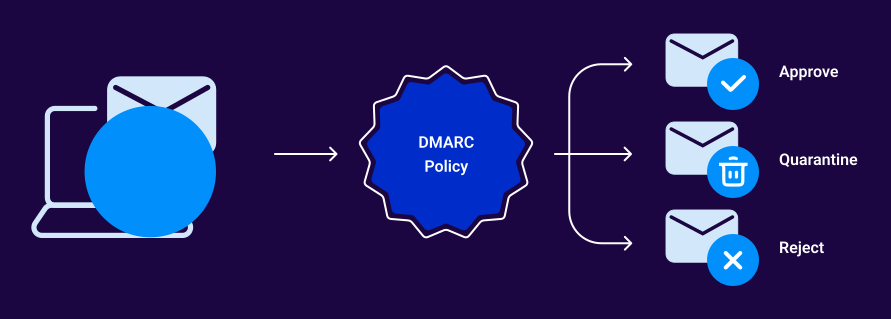
DMARC at enforcement (p=reject) is the best protection against domain spoofing. It guarantees that any email claiming to be from your domain but failing authentication gets blocked before reaching recipients.
However, simply publishing a DMARC record isn’t enough. You need to move to enforcement (p=reject), and that requires understanding your email ecosystem first. Without proper preparation, you could block legitimate emails and disrupt business operations.
4. Add BIMI for visual brand protection
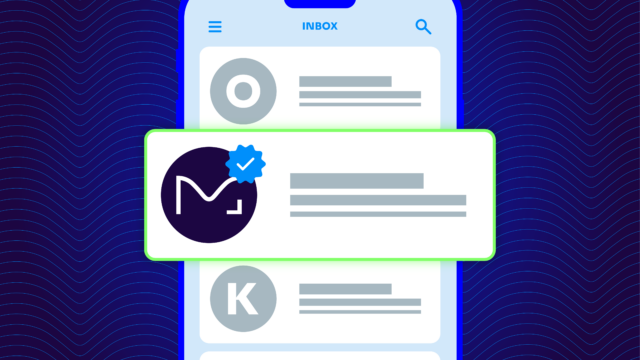
BIMI (Brand Indicators for Message Identification) is the newest addition to email authentication. It allows your company logo to appear next to authenticated emails in supporting inboxes like Gmail, Yahoo, and others.
This visual indicator serves two purposes:
- It reassures customers they’re dealing with the real you
- It gives them an immediate visual cue when an email is falsely claiming to be from your company (no logo = probable fake)
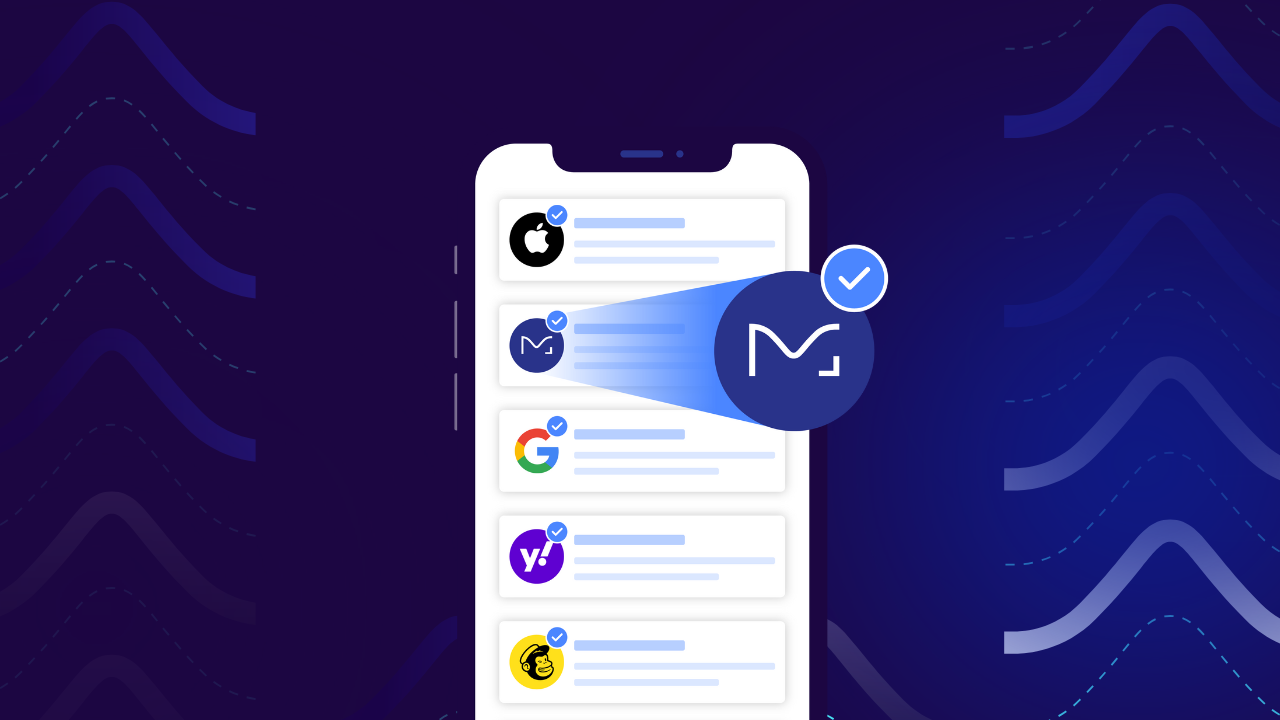
You’ll need proper DMARC enforcement before you can set up BIMI, so it’s not a starting point. Still, it should absolutely be your destination for complete brand protection.
5. Maintain consistent branding across all emails
Consistent visual branding helps customers recognize legitimate communications. When all your emails follow the same design patterns, layout, tone, and footer information, phishing attempts that deviate from these standards become easier to spot.
Create brand guidelines specifically for email communications. This should include proper usage of logos, colors, footer content, and sender addresses. Then guarantee every team and vendor follows them religiously.
6. Verify all third-party senders using your domain
The average enterprise uses dozens of different services that send email on their behalf: marketing platforms, customer service tools, HR systems, and more. Each is a potential vulnerability in your email authentication strategy.
Create a comprehensive inventory of all services authorized to send as your domain, then verify they’re properly aligned with your authentication standards. This is often where businesses discover shadow IT (unauthorized services using their domain without proper security controls).
7. Create a dedicated team to monitor email authentication reports
DMARC provides detailed reports on every email sent using your domain—both legitimate and fraudulent. These reports are data gold mines for security intelligence, but only if someone’s actually reviewing them.
Assign responsibility for monitoring these reports to detect new threats, unauthorized senders, or authentication failures. These reports provide early warning of potential phishing campaigns targeting your customers and help you continuously improve your defenses.
Go from vulnerable to verified
Every day your domain remains unprotected is another opportunity for scammers to damage your brand reputation and put your customers at risk. The question isn’t whether you need email authentication…it’s how quickly you can implement it.
Yet, manually setting up and maintaining proper email authentication isn’t easy, especially for organizations with multiple domains and third-party senders. The technical complexity is why so many businesses have either:
- Done nothing (leaving their domains completely vulnerable)
- Set up partial protection (that still allows impersonation attacks)
- Tried to implement full protection, but broke legitimate email flows
This is why we built Valimail. Our platform automates the entire email authentication process without requiring your team to become DNS experts or authentication specialists.
Here’s how to get started:
- Check your current vulnerability: Use Valimail’s free Domain Checker to see if your domain is vulnerable to impersonation. This scan will show you where you stand and what you need to fix.
- Automate your DMARC enforcement: Valimail Enforce handles the entire implementation process (from identifying legitimate senders to configuring proper authentication) all without disrupting your legitimate email flows.
Modern businesses need authentication that works consistently without non-stop maintenance and specialized expertise.
Email authentication isn’t just an IT project—it’s business protection. Every fake email sent as your organization erodes customer trust that took years to build.
To paraphrase an old adage: The best time to secure your domain is 20 years ago. The second-best time is now.
See what’s happening with your domain: Valimail Monitor gives you visibility into all services sending email as your domain, including unauthorized senders you may not even know about. And the best part is, it’s forever-free.