One-click unsubscribe might not be the end-all-be-all cure to cleaning up inboxes, but it certainly helps accelerate the process. Fortunately, it’s now a must-have requirement for senders messaging Gmail and Yahoo email recipients.
Have you ever stared at your overflowing inbox, drowning in a sea of promotional emails you never signed up for (or at least can’t remember signing up for)? Sorting it all out and cleaning things up can be harder than going through a month of mail, and often, the process feels like navigating a bureaucratic labyrinth.
It doesn’t need to be this way, and it shouldn’t.
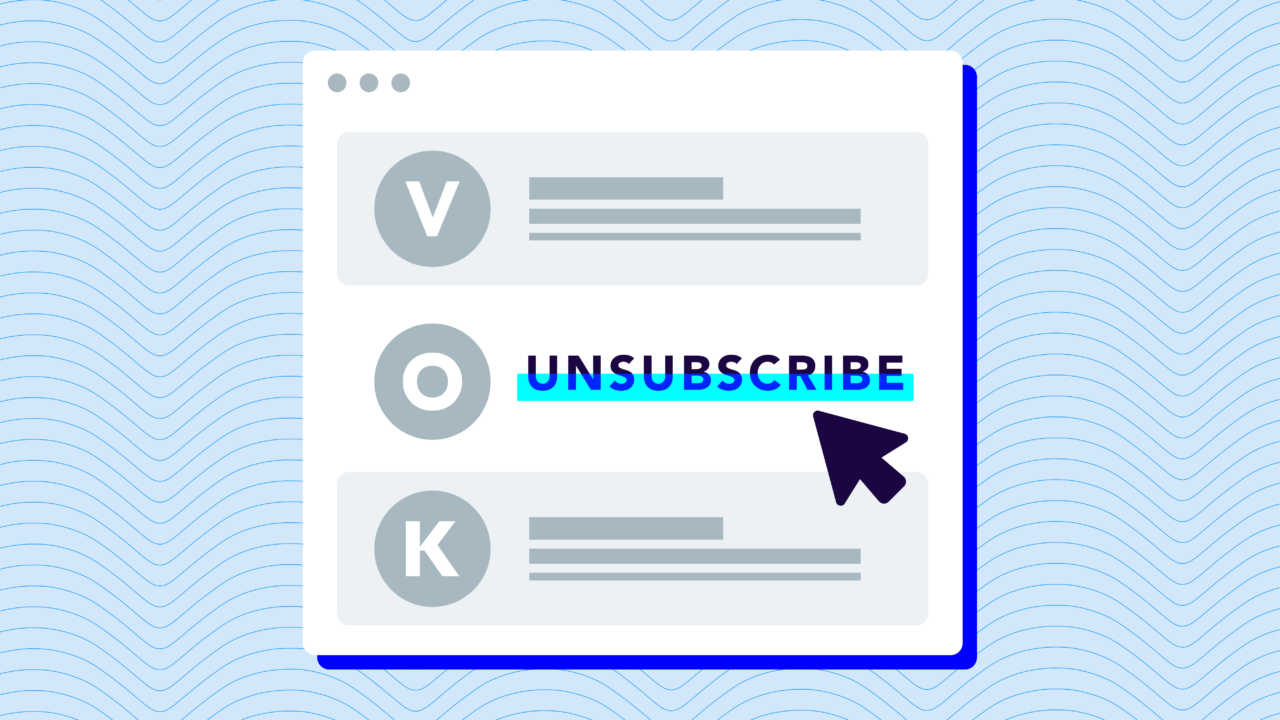
One-click unsubscribe streamlines the process of reclaiming your inbox. Instead of clicking the half-hidden unsubscribe button at the bottom of the email and jumping through page after page to finally receive the freedom you deserve, one-click unsubscribe lets you do the same thing in (you guessed it) a single click all from the top of your email.
For senders, this means any commercial or marketing email sent to bulk recipients needs to support one-click unsubscribe via the List-Unsubscribe header specified in RFC 8058. Below, we’ll cover what that means technically, what the requirement looks like in practice, and how to implement and stay compliant.
What is one-click unsubscribe?
One-click unsubscribe is a user-friendly feature embedded directly within the email interface that lets subscribers instantly opt out of mailing lists with a single click. No more hunting for hidden links, no more secondary confirmation pages—just point, click, and poof. You’re unsubscribed.

Traditionally, unsubscribing from a newsletter or promotional email could be a major headache. You’d scroll to the bottom, find the tiny unsubscribe link, click it, and then navigate through a series of pages or questions—sometimes even having to re-enter your email address—just to confirm your decision.
This feature isn’t just about convenience. It’s a much-needed paradigm shift in email communication where companies (big and small) respect the recipient’s time and inbox space rather than trapping them in unwanted contact.
One-click unsubscribe empowers users by simplifying the process, giving them greater control over what lands in their inbox. And here’s why that matters.
What is RFC 8058 (and why does it matter for email)?
RFC 8058 is the technical standard that defines how one-click unsubscribe works in email. Published by the Internet Engineering Task Force (IETF), it specifies a mechanism where a sender adds specific headers to an email message that tell the mailbox provider: “If the recipient wants to unsubscribe, send a POST request to this URL and consider them unsubscribed immediately.”
The key headers defined by RFC 8058 are:
List-Unsubscribe: Contains the URL the mailbox provider should POST to when the user clicks “Unsubscribe,” plus optionally a mailto: address for clients that don’t support the POST mechanism.
List-Unsubscribe: <https://example.com/unsubscribe?id=123>, <mailto:unsub@example.com>List-Unsubscribe-Post: Signals to the mailbox provider that the URL in the List-Unsubscribe header supports the one-click POST method defined in RFC 8058.
List-Unsubscribe-Post: List-Unsubscribe=One-ClickBoth headers must be present for a fully compliant one-click unsubscribe implementation. The List-Unsubscribe header alone is not sufficient because without List-Unsubscribe-Post, the mailbox provider won’t know that your endpoint supports the one-click mechanism.
When the mailbox provider sends the POST request to your unsubscribe URL, your system should process it immediately and suppress future sends to that address. RFC 8058 specifies that the POST body will contain List-Unsubscribe=One-Click, which your endpoint should accept and act on without requiring additional confirmation.
Why is one-click unsubscribe important?
Email is more than just a communication channel—it’s an online identity. It’s where people receive important transactional and marketing messages, and it also serves as a login to your users’ most precious websites, social media networks, and applications.
With that importance comes a desire for control, and that’s what inbox recipients deserve. With great power comes great responsibility, and when you have an email address (and permission to message it), you have an obligation to do the right thing—and that’s to use one-click unsubscribe.
Here’s why:
- User Empowerment: One-click unsubscribe respects your user’s time and decisions and shows you care. It eliminates the frustrating treasure hunt for the unsubscribe link and the often tedious, multi-step process that follows.
- Improved Email Hygiene: When your recipients better clean up their inboxes, they’re better able to find the emails they actually want—and, hopefully, those are your messages.
- Compliance with Regulations: Laws like CAN-SPAM in the United States and GDPR in Europe mandate that opting out of email communications should be straightforward.
- Fewer Spam Complaints: When subscribers can’t find the unsubscribe button, they turn to the next best thing: the mark as spam button. One-click unsubscribes lets users opt out of your messages with a single click, and that’s even faster than marking a message as spam.
- More Engaged Subscribers: When unsubscribing is easy, those who stay are more likely to be genuinely interested in your content. This leads to a more engaged, responsive, and valuable audience for your email campaigns.
Google and Yahoo’s sender requirements
Three of the world’s largest mailbox providers now require one-click unsubscribe for bulk senders. Google and Yahoo began enforcement in 2024. Microsoft followed in May 2025, extending the requirement to Outlook, Hotmail, Live.com, and MSN.com addresses.
While the new sending requirements cover a range of guidelines, a significant part of the change specifically targeted unsubscribes:
“If you send more than 5,000 messages per day, your marketing and subscribed messages must support one-click unsubscribe.”
Google
Note: The one-click unsubscribe requirement doesn’t affect transactional messages (such as password resets, receipts, and confirmation emails).
Going beyond the mandate
One-click unsubscribe might have recently become a requirement, but it’s always been a recommended best practice. That’s because following email guidelines isn’t about avoiding fines and penalties — it’s about building trust and fostering deeper connections with your audience.
One-click unsubscribe pushes us towards permission-based marketing, where genuine interest replaces forced engagement. Imagine that — people actually receiving the emails they want to receive.
Ultimately, that’s what differentiates email from other communication and marketing channels—it’s an opt-in-only form of messaging. Your audience has requested to hear from you when they subscribed to your email marketing campaigns or newsletters. However, they don’t request those television or radio ads, promoted posts on social media, or pay-per-click (PPC) ads all across the internet.
And just as they can request to receive messages from you, they can demand it to stop—and it should be easier than bouncing through would-be deterrents (that only make you more sure of your decision) to finally reach that unsubscribe page.
How to implement one-click unsubscribe
Most marketing platforms (Mailchimp, HubSpot, Klaviyo, Salesforce Marketing Cloud, Twilio, and others) now handle the List-Unsubscribe and List-Unsubscribe-Post headers automatically for campaigns sent through their systems. If you’re using a mainstream email service provider (ESP) for bulk sending, check their documentation to confirm the headers are being added automatically and that your unsubscribe endpoint is active.
If you’re sending email programmatically through your own infrastructure, you’ll need to add both headers to every commercial message and build an endpoint that accepts the POST request.
The implementation checklist:
- Add
List-Unsubscribeheader with a HTTPS URL that accepts POST requests - Add
List-Unsubscribe-Post: List-Unsubscribe=One-Clickheader - Double-check your unsubscribe endpoint processes the POST request and suppresses the address immediately
- Keep a traditional unsubscribe link in the email footer as a backup
- Confirm that transactional messages (password resets, receipts, order confirmations) are excluded from bulk sender rules
Testing your implementation: Gmail displays an “Unsubscribe” link at the top of messages when it detects a valid List-Unsubscribe header. If you send yourself a test message and don’t see the link, the headers may be missing or malformed. You can also view raw email headers in Gmail (three-dot menu → “Show original”) to verify the headers are present.
5 best practices for implementing one-click unsubscribe buttons
There are good, better, and best ways to implement one-click unsubscribe. At a bare minimum, there’s just staying compliant. That’s important, but there are additional best practices you can follow to retain relationships, gain valuable insights, and improve your email strategies.
Remember that RFC 8058 should be your guiding post when getting compliant with Gmail and Yahoo’s new rules. This protocol says that when a sender inserts specifically crafted headers in a message, it signals to the mail client that the recipient can unsubscribe with just one click.
1. Implement it sooner rather than later.
Ultimately, the one-click unsubscribe button is a subscriber-centric thing to do (and that should be reason enough).
Implementing one-click unsubscribe sets you apart as a forward-thinking and user-centric brand. It demonstrates to your subscribers that you value their experience and convenience—not just ticking off a regulatory checkbox.
2. Keep the unsubscribe option in the footer.
The one-click unsubscribe feature is a game-changer, but it shouldn’t eliminate the traditional unsubscribe link typically found in the email footer. Many users are accustomed to finding the unsubscribe option at the bottom of an email. It’s been a standard practice for years. Keeping this option maintains a sense of familiarity and comfort for users who prefer the traditional way.
Having an unsubscribe link in the footer serves as a backup. In the rare event that the one-click option encounters technical issues, users can still opt-out. This redundancy ensures that you always provide an unsubscribe avenue, aligning with user expectations and compliance requirements.
3. Link to a preference center.
Piggybacking off the previous best practice, your unsubscribe link in the footer can lead users to a preference center. Here, they should have an opportunity to tailor their preferences instead of just a blanket unsubscribe from everything (that’s what the one-click unsubscribe is for).
A preference center allows users to customize their email interactions with your brand. Instead of a binary choice between ‘subscribe’ and ‘unsubscribe,’ they can adjust:
- Messaging frequency
- Topics of interest
- Email formats
- Personalization preferences
- Pause dates
4. Use your unsubscribe data.
Your unsubscribe data can reveal a lot about your email campaigns and uncover opportunities for improvement.
Keep a close eye on when and why people are unsubscribing. Are there spikes after certain types of emails or during specific times of the year? This analysis can reveal patterns that might be influencing your unsubscribe rates.
Unsubscribe data can be a window into your audience’s interests. If specific content themes consistently lead to higher unsubscribe rates, it might be time to reconsider that content or target it to a more specific segment of your audience. Conversely, content with low unsubscribe rates can be a sign to double down on those topics or styles.
Sometimes, a high unsubscribe rate isn’t about the content at all, but technical issues like poor formatting, broken links, or display problems on mobile devices. Pay attention to any technical feedback from the unsubscribe process to ensure your emails are as accessible and user-friendly as possible.
5. Ask for feedback.
Solicit feedback during the unsubscribe process to turn a potential end-of-the-line into an insightful dialogue with your subscribers. First, make feedback optional—requiring it prolongs the unsubscription process and can further aggravate your departing subscribers. Don’t do it.
Make the feedback process quick and easy. Consider using a multiple-choice question or a simple comment box to learn what your subscribers liked and didn’t like.
Become compliant, stay compliant
One-click unsubscribe is just one part of a bigger movement towards better digital experiences. These changes are meant to ensure that users actually get the mail they want delivered, including yours. Compared to some of the other compliance requirements, one-click unsubscribe is one of the easier features to implement.
While you can work with your email service provider (ESP) to get compliant with your one-click unsubscribe, Valimail has an “easy button” for some of the more technical requirements.
Check your compliance status and learn where you need to make changes.
Frequently asked questions
Does unsubscribing from emails actually work?
Yes, when done correctly. Legitimate senders are required by law (CAN-SPAM, GDPR) to honor unsubscribe requests within 10 business days. One-click unsubscribe makes this process instant and verifiable. If you’re still receiving emails after unsubscribing, the sender may be non-compliant, or you may be subscribed to multiple lists from the same company. Check for a preference center where you can manage all subscriptions at once.
Is there a law requiring an unsubscribe button?
Yes. In the United States, the CAN-SPAM Act requires commercial emails to include a clear way to opt out. The GDPR in Europe has similar requirements. As of 2024, Google and Yahoo also require bulk senders (5,000+ daily messages) to support one-click unsubscribe specifically. Failing to comply can result in fines, deliverability issues, or being blocked entirely.
How do I unsubscribe from emails?
Most emails include an unsubscribe link in the footer. Click it and follow the instructions. With one-click unsubscribe, Gmail and Yahoo display an “Unsubscribe” button at the top of the email, letting you opt out instantly without scrolling or navigating to external pages. If you can’t find an unsubscribe option, mark the email as spam—this signals to mailbox providers that the sender isn’t following best practices.
What’s the difference between one-click unsubscribe and a regular unsubscribe link?
Traditional unsubscribe links typically take you to a webpage where you confirm your decision, sometimes requiring multiple steps or re-entering your email. One-click unsubscribe works directly from the email interface (like Gmail’s “Unsubscribe” button at the top of messages) and processes your request instantly with no additional pages or confirmations required.
What is RFC 8058?
RFC 8058 is an IETF standard that defines how one-click unsubscribe works in email. It specifies two email headers: List-Unsubscribe, which contains the URL a mailbox provider should POST to when a user unsubscribes, and List-Unsubscribe-Post, which signals that the URL supports the one-click POST mechanism. Both headers must be present for a compliant implementation. Google, Yahoo, and Microsoft all reference RFC 8058 as the technical specification for their one-click unsubscribe requirements.