Here’s the thing: There once was a time when all you needed was a well-trained carrier pigeon, a tiny scroll, a well-kept coop, and a whole lot of patience to send a message to your friend 1,000 miles away.
But one-way messages, limited to roughly the distance between New York City and Florida, are SO far from cutting it today.
Jokes aside, our lives are powered by email, and our ability to send and receive emails with laser precision requires properly configuring Domain Name System (DNS) Mail Exchange (MX) records.
As your business evolves — adding new email vendors, adopting stronger authentication standards, or restructuring domains — outdated or misconfigured MX records can disrupt delivery, weaken security, and create unnecessary troubleshooting headaches.
This guide explains what DNS MX records are, how they work, and how to configure them correctly, so your email infrastructure remains reliable, secure, and ready to support authentication standards, like Sender Policy Framework (SPF), DomainKeys Identified Mail (DKIM), and Domain-based Message Authentication, Reporting and Conformance (DMARC).
What are MX records and why do they matter for email delivery?
A DNS MX record tells other mail servers where your email should be delivered.
Imagine you’re sent an email to @carrierpigeon.com. The sender’s mail server first checks your domain’s DNS to find the MX record. That record points to the mail server (or servers) responsible for receiving the message.
If the MX record is missing, incorrect, or outdated, email delivery can fail entirely, even if the rest of your email stack is configured correctly. This leads to bounced messages, delayed delivery, or email that never arrives at all.
Keep in mind, MX records don’t filter spam, scan messages, or authenticate senders; they simply route email to the right destination.
Understanding MX records: components and configuration
Why would you have multiple MX records?
A domain can have one or many MX records. In a simple setup, a single MX record points all inbound email to one mail server. But commonly, you would configure multiple MX records to support redundancy.
For example, one MX record may point to a primary mail server, while another points to a secondary server. Under normal conditions, email flows to the primary system. But if that system becomes unavailable, the sending servers will automatically try to deliver to your secondary option instead.
Common MX record components
At a basic level, an MX record includes three core pieces of information: mail server hostname, priority value, and time to live (TTL) value.
Mail server hostname
First, the mail server hostname identifies the mail server responsible for accepting email on behalf of your domain.
MX records point to hostnames, which sending mail servers then translate into an IP address to reliably deliver a message. Domains with multiple MX records use different hostnames to route mail correctly, like @mail.carrierpigeon.com and @mail2.carrierpigeon.com.
MX priority and preferences
Priority value, sometimes called a preference, tells which mail server to try first. Lower numbers have higher priority.
Let’s say you have two MX records and set a priority value of 10 for your @mail.carrierpigeon.com and a priority value of 20 for @mail2.carrierpigeon.com. The sending mail server will first try to deliver to the highest priority value, @mail.carrierpigeon.com, before attempting delivery to the second priority, @mail2.carrierpigeon.com.
If the highest-priority server can’t accept mail, sending systems move down the list until delivery succeeds or all options are exhausted. Incorrect priorities or unintended duplicate values lead to unpredictable routing behavior.
Time to live (TTL) value
The TTL value defines how long other mail servers cache your MX record before checking for updates.
For example, if your company is moving from one email service to another, you’ll update your MX records to point to the new provider’s mail servers. If you set a short TTL, other mail servers will re-check your MX record sooner, and email starts flowing to the new provider more quickly. If your TTL is long, those servers keep using the old MX record for hours (or even days), and some email goes to your old system during the transition.
Together, these components ensure email is routed correctly across multiple mail servers, even when systems change or experience temporary disruptions.
MX record example
| Domain Name | TTL | Class | Type | Priority | Mail Server Host Name |
| carrierpigeon.com | 1800 | IN | MX | 10 | mail1.carrierpigeon.com |
| carrierpigeon.com | 1800 | IN | MX | 20 | mail2.carrierpigeon.com |
MX record example, in practice:
- Email sent to @carrierpigeon.com is delivered to mail1.carrierpigeon.com first.
- If that server is unavailable, delivery falls back to mail2.carrierpigeon.com.
- The TTL of 1800 seconds (30 minutes) controls how long other mail servers cache this information before checking for updates.
This setup provides redundancy without complicating routing behavior.
Why do you need to properly configure DNS MX records?
Without a properly configured MX record, email to your domain doesn’t work reliably. Even small configuration mistakes create major headaches.
For example, if priority values are incorrect, emails might route to backup systems unnecessarily. If they’re outdated, legacy records might send messages to servers that no longer exist. If MX records are missing, senders might give up on delivery entirely. These issues are often easy to overlook and difficult to troubleshoot.
Further, email authentication relies on correct DNS configuration to enforce sender authentication and protect your domain from spoofing. If mail isn’t routed correctly, authentication standards like SPF, DKIM, and DMARC can’t be predictably applied. Broken MX records won’t directly cause DMARC failures, but they mask problems and delay resolution.
At the root, MX record issues are frequently caused by adding, removing, or combining email vendors over time or making similar updates, while treating MX configuration as a one-time, check-the-box task.
Why do you need to configure MX records for your email vendors?
Your business likely uses third-party email vendors, such as Microsoft or Google, to handle inbound mail, host inboxes, or provide additional email security capabilities. Each vendor publishes specific MX requirements that need to be followed exactly during setup.
Problems tend to appear as organizations evolve. Inbox providers, security services, and cloud platforms are layered on over time, but MX records aren’t always updated to reflect how email is actually being handled.
This causes common problems when organizations:
- Leave legacy MX records in place after switching providers
- Mix MX records from multiple vendors without understanding routing behavior
- Point MX records to IP addresses instead of hostnames
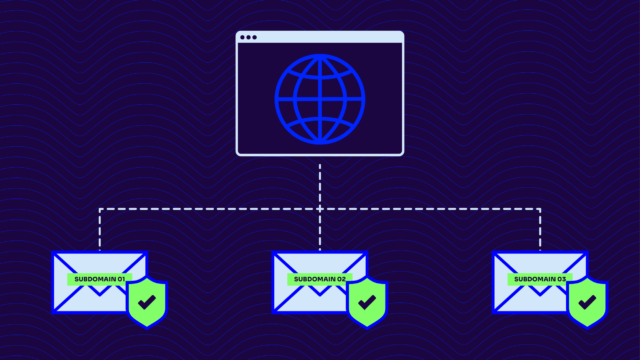
MX configuration is more complex when subdomains are involved. Some teams route email differently for specific applications, departments, or regions.
In those cases, MX records may be configured at the subdomain level rather than the root domain, which requires clear DNS ownership and careful coordination. Valimail provides detailed guidance on when and how to use subdomain-specific records, which is helpful in more complex environments.
Ultimately, getting MX records right — and keeping them updated as your email environment changes — ensures reliable, scalable email delivery and authentication.
How are MX records queried in the DNS and used during delivery?
MX records are queried in the DNS, similar to browsing for a website. You type in a website name, and within the blink of an eye, the DNS looks up the associated IP address needed to reach the site.
Email delivery works the same way, with one extra step. The sending mail server checks DNS for your MX records to see which mail server should receive the message, based on priority values. It then looks up the server hostname to find its IP address and delivers the email.
This two-step process — first finding the MX record, then mapping the hostname to its associated IP address — is what allows email delivery to work reliably across the internet without hard-coding destinations into DNS.
How to look up and check your MX records
Proactively monitoring your MX records for issues, such as configuration errors and outdated records, is simply good maintenance.
You check your MX records using your DNS provider’s management console, online DNS lookup services, or command-line tools, such as Google Admin Toolbox Dig.
From there, check that:
- Mail server hostnames match your email provider’s documentation
- Priority values are set as intended
- No deprecated or unfamiliar records are present
Keep in mind that if you’re making changes, you need to account for DNS propagation. Depending on your TTL settings, it takes several hours before updated MX records are recognized across the internet to verify that the configuration is correct for email to be appropriately routed.
Simplify DNS MX record management with Valimail
MX records direct inbound email to the correct mail servers, so authentication and enforcement take place. As your email environment changes — whether you switch providers or add new security services — those records must stay accurate to keep mail flowing correctly.
With clear visibility into how email is routed and authenticated, Valimail helps ensure delivery paths remain correct and authentication policies are enforced without disruption.
Instead of manually tracking DNS changes across vendors, domains, and subdomains, teams use Valimail to validate configurations, catch issues early, and confidently make changes. This is especially important when enforcing SPF, DKIM, and DMARC, where correct routing is required for policies to be applied consistently.
If managing DNS updates feels complex or time-consuming, we can help. Schedule a free consultation to see how Valimail gives you clearer visibility, fewer delivery surprises, and stronger protection for your domain.
Frequently asked questions about DNS MX records
Do MX records affect outbound email?
No. MX record only controls inbound email.
What happens if I delete my MX record?
Email sent to your domain might fail. Most sending servers will reject the message immediately or may route it to the main IP address for the domain.
Do MX records impact email security?
MX records don’t authenticate email or block malicious messages on their own, but they determine whether email reaches the correct systems in the first place, where authentication and email security measures are applied.
Can I have MX records for multiple email providers?
Yes, but only if the providers explicitly support that configuration. Otherwise, it can cause routing conflicts.
Do MX records need to be updated when enabling DMARC?
Not usually. However, reviewing MX records before DMARC enforcement is a smart preventative step.
How often should MX records be reviewed?
At a minimum, MX records should be reviewed during email provider changes, before enforcing DMARC, and when troubleshooting delivery issues.
What happens if multiple MX records have the same priority?
Unless intentional, this can lead to unpredictable routing. Mail servers may attempt delivery in an undefined order or in parallel, depending on the sender’s implementation.
How long does it take for MX record changes to take effect?
It depends on your TTL settings. Changes can propagate in minutes or take several hours (or days) to be recognized consistently across the internet.
Can MX records be configured on subdomains?
Yes. MX records can be set at the subdomain level, but this requires careful DNS ownership and coordination.