You finally move your domain to a DMARC enforcement policy. Your primary domain is protected, spoofing attempts are blocked, and everything looks good.
Then someone asks: “What about our subdomains?” That’s where things get a little more complicated.
Subdomains are everywhere in modern email programs. Marketing teams send from email.example.com. Customer support platforms use support.example.com. Application notifications come from alerts.example.com. Business units, acquisitions, and third-party vendors may all have their own sending infrastructure under your organization’s domain.
The tricky part? Your DMARC policy doesn’t always stop at your primary domain.
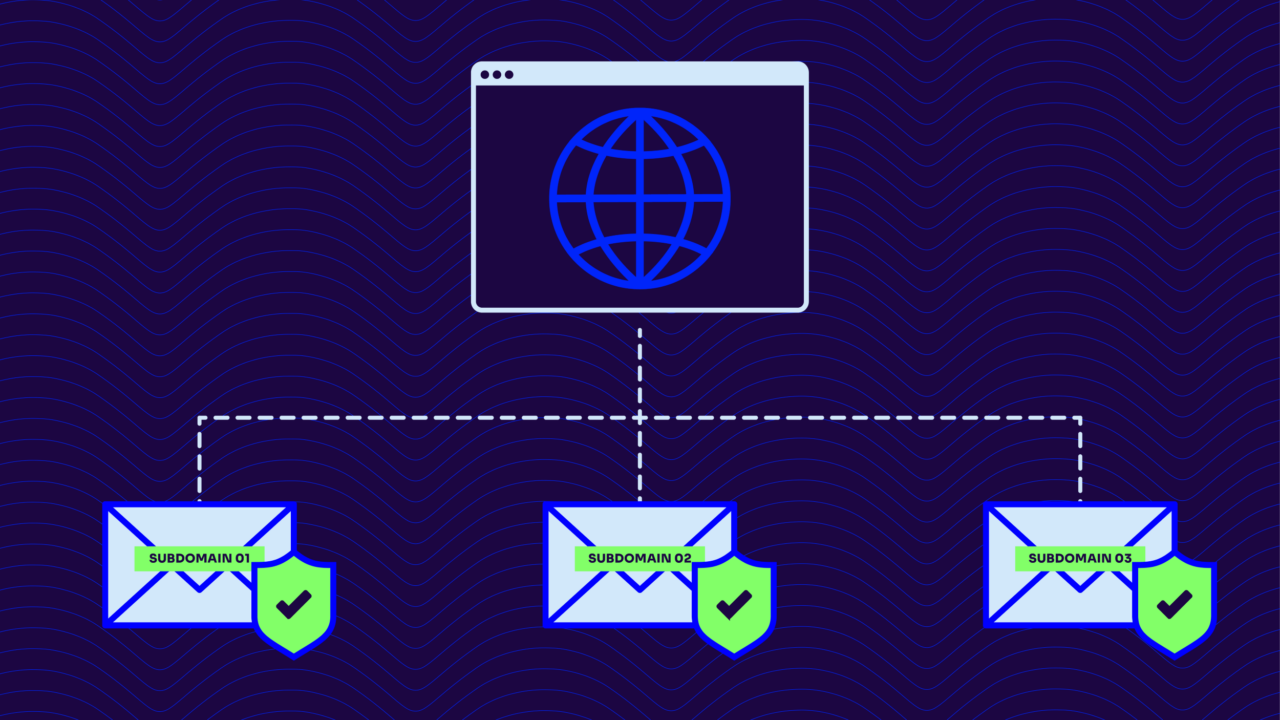
Depending on how your DNS records are configured, a DMARC policy published for your organizational domain can influence how receivers handle messages sent from subdomains — even if those subdomains never published their own DMARC records.
That can be a powerful way to protect your entire email ecosystem. It can also create unexpected delivery problems if legitimate subdomain senders aren’t properly configured before you enforce.
To understand what happens, you need to know three things:
- How receivers find DMARC policies for subdomains
- How DMARC policies are inherited
- How SPF and DKIM alignment determine whether messages pass or fail
Let’s break down what happens when you apply DMARC policies across your subdomains and how to avoid surprises along the way.
Your parent domain policy can affect subdomains
When a mailbox provider evaluates DMARC, it looks at the domain in the visible “From” address. This is the domain recipients actually see in their inbox.
For example, if a message comes from: newsletter@example.com, the receiver checks for a DMARC record at: _dmarc.example.com
But if the message comes from: newsletter@marketing.example.com, the receiver first checks: _dmarc.marketing.example.com
If that subdomain has its own DMARC record, that policy takes priority. If it doesn’t, the receiver can fall back to the organizational domain’s DMARC record: _dmarc.example.com
That’s where inheritance comes in.
A DMARC record on your main domain can influence subdomain mail when those subdomains don’t have their own policy. This is useful if you want consistent protection across your email ecosystem. But it also means a subdomain you forgot about — or one managed by another team — could suddenly be affected when you move from monitoring to enforcement.
And that’s why subdomain discovery matters before you tighten your policy. A common assumption is: “If the subdomain doesn’t have a DMARC record, it’s not covered.” That’s not always true.
A subdomain without its own DMARC record may still fall under the parent domain’s policy. The message still needs to pass DMARC, though. Inheritance only determines which policy applies when DMARC fails — it doesn’t magically authenticate the sender.
A message still needs SPF or DKIM authentication that aligns with the From domain.
What p=none, p=quarantine, and p=reject mean for subdomains
Your DMARC policy tells mailbox providers what to do when a message fails authentication. The three enforcement options are:
- p=none — monitor failures but don’t take action
- p=quarantine — treat failures as suspicious, usually sending them to spam
- p=reject — block failed messages from being delivered
For subdomains, the impact depends heavily on what senders are using those domains and whether they’re properly aligned.
p=none helps you find hidden senders
A p=none policy is your visibility phase. At this stage, receivers still send DMARC reports, but they won’t quarantine or reject messages that fail.
This is where many organizations discover the email systems they didn’t know existed:
- A marketing platform sending from a forgotten subdomain
- A customer support tool using a misaligned return-path
- A business unit running its own email program
- A legacy application sending notifications nobody owns anymore
Subdomains often reveal these gaps because they’re where organizations tend to delegate email operations. Monitoring doesn’t mean “doing nothing.” It’s the stage where you build an accurate picture of who sends email on your behalf before enforcement changes the rules.
p=quarantine introduces consequences
When you move to p=quarantine, failed messages may start landing in spam folders.
For a subdomain that isn’t properly configured, this can create real problems:
- Marketing emails stop reaching inboxes
- Customer notifications get missed
- Employees lose trust in automated messages
- Support teams deal with “where’s my email?” tickets
Quarantine can be a useful stepping stone because it adds pressure without completely blocking messages. But it works best when you already understand your sending sources and have addressed obvious alignment issues.
p=reject blocks failed messagesd
p=reject is where DMARC delivers its strongest protection.
When a message fails DMARC, the receiving server can reject it before delivery. This prevents attackers from impersonating your domains and using your brand in phishing campaigns.
The tradeoff? Legitimate senders that fail DMARC can be blocked too. If a subdomain inherits a parent domain’s p=reject policy and a legitimate sender hasn’t configured SPF or DKIM alignment correctly, those messages may never reach recipients.
That’s why enforcement requires more than publishing a record. You need visibility into every legitimate sender using your domains — including the subdomains most teams forget about.
Use the sp tag to set smarter subdomain policies
DMARC gives organizations a way to control how subdomains behave without creating individual records for every single one: the sp tag.
The sp tag defines the DMARC policy for subdomains that don’t publish their own DMARC record.
For example:
v=DMARC1; p=reject; sp=none
This tells receivers:
- Apply p=reject to the organizational domain
- Apply p=none to subdomains without their own DMARC record
That approach lets you protect your primary domain while giving yourself more time to understand and configure subdomain senders.
The sp tag is especially useful for organizations with:
- Multiple business units managing their own email
- Third-party platforms sending on their behalf
- Older systems that haven’t been updated
- Large numbers of subdomains
Keep in mind: the sp tag only applies when a subdomain doesn’t have its own DMARC record. If marketing.example.com publishes its own DMARC policy, that policy takes precedence.
This gives organizations flexibility. You can create a broad default policy while making exceptions for specific subdomains that need different handling.
Authentication alignment is where many subdomains fail
A DMARC pass requires more than authentication. SPF or DKIM must also align with the domain in the From address. This is where subdomains often run into trouble.
Consider a marketing platform sending an email from:
offers.example.com
The message may pass SPF because the platform is authorized to send mail. But if the SPF-authenticated domain is something like:
vendor-mail.com
the authentication passes without alignment.
DMARC sees the mismatch and fails the message.
The same thing can happen with DKIM. A vendor may correctly sign the message, but if the DKIM signature uses the vendor’s domain instead of your subdomain, the message may not align.
You can configure alignment in two ways:
- Relaxed alignment: Allows related domains and subdomains to align
- Strict alignment: Requires an exact domain match
Strict alignment gives you tighter control, but it can be difficult to maintain in environments with many third-party senders. For most organizations, the goal is not making every sender look identical. The goal is ensuring legitimate senders can prove they’re authorized to use your domain identity.
A practical approach to managing subdomain DMARC policies
There’s no single right way to structure DMARC policies for every organization. The right approach depends on how your email ecosystem is managed.
A few best practices to help you along the way:
Inventory your subdomains before enforcement.
Know which subdomains exist, who owns them, and what sends email from each one.
Use the sp tag when you need a safer default.
It gives you control over unknown or unmanaged subdomains while you continue improving your authentication coverage.
Create dedicated DMARC records for unique sending environments.
If marketing, customer support, and transactional email operate differently, separate policies may give each team the flexibility they need.
Prioritize DKIM alignment for third-party platforms.
Many vendors make DKIM alignment easier to manage than SPF alignment because it doesn’t rely on controlling the sending infrastructure’s return-path.
The goal isn’t simply having a DMARC record everywhere. The goal is knowing exactly what happens when someone sends email using your domain.
Protect your domain without surprising your senders
DMARC enforcement is one of the most effective ways to prevent domain impersonation, but subdomains deserve special attention. A parent domain policy can provide broad protection, but it can also affect subdomain senders you didn’t know existed. Before moving to quarantine or reject, make sure you understand your sending ecosystem and how each subdomain authenticates.
Use inheritance intentionally. Use the sp tag when it makes sense. Create dedicated policies when different subdomains need different rules.
The more visibility you have before enforcement, the easier it is to protect your brand without disrupting legitimate email.
Frequently asked questions
Will my parent domain DMARC record protect my subdomains?
It can. If a subdomain doesn’t have its own DMARC record, receivers may use the organizational domain’s DMARC policy when evaluating messages from that subdomain.
However, the subdomain still needs SPF or DKIM authentication that aligns with the From domain. A parent policy doesn’t automatically make subdomain mail pass DMARC.
If I set p=reject, will all failing subdomain mail be blocked?
Potentially. If a subdomain doesn’t have its own DMARC record and inherits a parent domain’s p=reject policy, messages that fail DMARC may be rejected. Organizations that aren’t ready to enforce on all subdomains often use sp=none or sp=quarantine as a transition strategy.
What does the sp tag do?
The sp tag controls the DMARC policy applied to subdomains that don’t publish their own DMARC record. It lets organizations create different enforcement levels for their primary domain and their subdomains without requiring a separate record for every subdomain.
Do all subdomains need their own DMARC record?
No. Some organizations benefit from centralized management through the parent domain policy. Others need separate policies because different subdomains have different owners, sending platforms, or enforcement timelines.
The important thing is understanding your environment and choosing the structure that gives you the right level of control.
How do SPF and DKIM alignment affect subdomains?
SPF and DKIM can both authenticate email, but DMARC only considers them successful when they align with the From domain. Subdomains often run into alignment issues because third-party platforms use their own sending domains, return paths, or DKIM signatures. Fixing those alignment gaps is key to successful DMARC enforcement.