QR codes are everywhere. Restaurant menus, parking meters, package tracking, event check-ins, email campaigns. And that ubiquity is exactly what makes them useful to attackers.
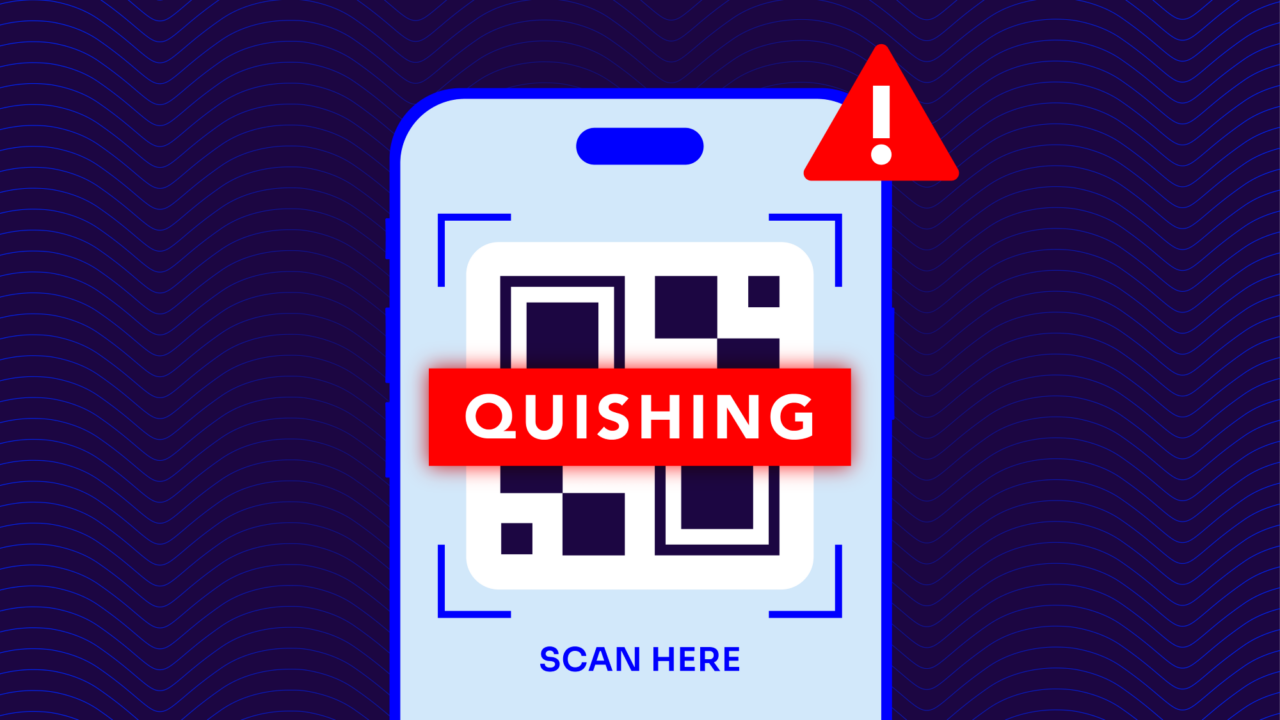
QR code phishing (known as quishing) embeds a malicious URL inside a QR code and delivers it through email, SMS, or physical media. The QR code itself is the evasion tactic. Most email security solutions scan links directly but can’t analyze what a QR code encodes. By the time a recipient scans the code on their phone, they’re outside the email client’s protection and operating in a mobile browser that’s often outside corporate security controls entirely.
Below, we’ll cover how quishing works, what it looks like in practice, how to spot a suspicious QR code, and how to build a defense that accounts for this attack vector.
What is quishing?
Quishing refers to phishing attacks that use QR codes to deliver malicious URLs instead of traditional hyperlinks.
When a phishing email contains a hyperlink, email security gateways can analyze that link in real time:
- Checking the URL against threat intelligence databases
- Scanning the destination for malicious content
- Flagging suspicious domains
When a phishing email contains a QR code, those same gateways typically see an image. The URL is encoded inside the image, invisible to automated link scanners unless the gateway is specifically configured to extract and analyze QR code payloads.
Quishing (also written as QR phishing or QR code phishing) takes advantage of this gap. The attacker doesn’t need to build a more convincing email. They just need to move the link somewhere the scanner can’t see it.
How QR code phishing works
The mechanics of a quishing attack follow a predictable sequence:
- Build the phishing infrastructure. The attacker registers a lookalike domain (something that resembles a legitimate brand or organization), builds a credential harvesting page or malware download at that URL, and generates a QR code that encodes the link.
- Craft the email. The attacker creates an email that impersonates a trusted sender. The email body is typically brief and creates urgency: “Scan the QR code below to verify your account” or “Scan to complete your annual benefits enrollment.” The QR code replaces the link that would otherwise be the payload.
- Send from a spoofed or lookalike domain. The email is sent using either a domain that impersonates the legitimate sender (an exact-domain spoof, if the sender’s domain isn’t protected by Domain-based Message Authentication, Reporting, and Conformance (DMARC)) or a registered lookalike domain that passes a casual visual inspection.
- Victim scans on their phone. The recipient scans the QR code using their phone’s camera. This is the moment the attack crosses from the email environment to the mobile browser. The phone opens the URL without any of the corporate email gateway’s scanning or filtering.
- Credential harvesting or malware delivery. The landing page mirrors a legitimate service login page, prompts the victim to enter credentials, and captures them. In some variants, the page delivers a malware download directly.
Most organizations apply strong security controls to managed devices and email clients, but mobile browsers often operate outside those controls. Quishing exploits the gap between corporate email security and personal device behavior.
Quishing vs. traditional phishing
Ultimately, the threat is the same: a deceptive message designed to get someone to hand over credentials or install something malicious. The evasion layer is what differentiates them.
| Factor | Traditional phishing | Quishing |
| How the link is delivered | Hyperlink in email body | URL encoded inside a QR code image |
| What email scanners see | The URL — can be analyzed and flagged | An image — URL is opaque without QR extraction |
| What device is targeted | Desktop or laptop via email client | Mobile device via camera app and browser |
| Endpoint protection coverage | Often within corporate security perimeter | Often outside it (personal phones, mobile browsers) |
| Ease of spotting | Hover over link to preview URL | No way to preview destination without scanning |
Quishing moves the attack to a context where traditional defenses have the least visibility.
Common quishing attack scenarios and examples
Quishing shows up in several recurring patterns. These are the ones worth training employees to recognize:
IT and HR impersonation. An email appears to come from your organization’s IT helpdesk or HR department with a QR code to “complete your MFA re-enrollment” or “confirm your direct deposit details during open enrollment.” The urgency is plausible, the branding is cloned, and employees are conditioned to complete IT requests quickly.
Vendor and invoice fraud. A message impersonating a known vendor includes a QR code directing to a payment portal or invoice approval page. Finance teams receiving routine-looking vendor communications are a high-value target for this variant.
Package delivery scams. An SMS or email from a fake delivery service prompts the recipient to scan a QR code to reschedule a missed delivery or pay a customs fee. These work at consumer scale and often hit employees’ personal phones.
Physical quishing. Attackers print QR code stickers and place them over legitimate QR codes on parking meters, charging stations, restaurant tables, and public signage. This variant doesn’t involve email at all — it exploits the same trust in QR codes in a physical context. It’s worth being aware of even if it falls outside the email security perimeter.
How to spot a malicious QR code
Unfortunately, spotting a malicious QR code is harder than spotting a suspicious link, because the URL isn’t visible until after scanning. That said, there are a few signs you can watch for:
- Check the destination URL before tapping. Most phone cameras and QR scanning apps display a preview of the URL before opening it. Use that preview. If the domain looks unusual, uses a URL shortener, or doesn’t match the expected sender, don’t proceed.
- Be suspicious of QR codes in unsolicited emails. A legitimate organization’s email system rarely needs to communicate something that only a QR code can deliver. If an email arrives unexpectedly, contains primarily a QR code and minimal text, and creates urgency, treat it as a red flag.
- Verify out of band. If an email from your IT team, a vendor, or HR asks you to scan a QR code, contact the sender through a known channel before doing so. A quick message or call takes 30 seconds and eliminates the attack entirely.
- Look for signs of email spoofing. Check the sender’s actual email address, not just the display name. If the domain looks off or doesn’t match the organization it claims to represent, the email itself may be the attack vector regardless of the QR code content.
- Watch for physical tampering. Look for QR codes that appear to be stickers placed on top of existing markings. A sticker that doesn’t sit flush with the surface it’s on is sketchy.
How to defend against quishing
Quishing is harder to stop than traditional link-based phishing because the attack moves through multiple channels and devices. A reliable defense needs to cover several layers.
DMARC enforcement
DMARC stops quishing attacks that impersonate your domain. If an attacker sends a quishing email that appears to come from it@yourdomain.com but your domain is at DMARC p=reject, the email is blocked before delivery.
DMARC doesn’t analyze QR code content, but it eliminates exact-domain email impersonation, which is the most common delivery vector for email-based quishing.
Enable QR code scanning in your email gateway
Some modern Secure Email Gateways (SEGs) can detect QR codes embedded in email images, extract the encoded URL, and apply the same link analysis they would apply to a traditional hyperlink. If your gateway supports this capability, enable it.
It won’t catch everything, but it closes the most obvious gap.
Monitor for lookalike domains
Quishing attacks that use lookalike domains (rather than exact-domain spoofing) register domains that visually resemble yours and build phishing pages there. Valimail’s Domain Lookalike Finder identifies newly registered domains that could be used to impersonate your organization before they appear in an attack.
Apply mobile device management (MDM) policies
For managed devices, MDM solutions can restrict QR code scanning from the native camera app or require that QR codes be scanned through a managed, policy-compliant scanner that previews and validates URLs. This matters for high-risk roles that handle finance, IT access, or sensitive credentials.
Train employees on the right signals
QR code awareness training should focus on behavioral signals rather than visual inspection because the malicious content isn’t visible. Employees should understand that any unsolicited QR code in email deserves the same skepticism as a suspicious link, that previewing the URL before tapping is non-negotiable, and that out-of-band verification is always the right call for unexpected requests.
Layer authentication with inbound scanning
DMARC protects your domain from outbound impersonation. SEGs protect inbound email from suspicious content. Both are necessary.
Valimail partners with leading SEG providers because the combination of authentication at the domain layer and content scanning at the message layer covers more of the attack surface than either does alone.
Protect your email domain with Valimail
Quishing is a supply and demand problem: attackers use QR codes because they work, and they work because the current defense stack wasn’t built with QR codes in mind. Closing the gap requires updating both the technology layer and the human awareness layer simultaneously.
Check your domain to see your current DMARC status, and sign up for Valimail Monitor to get free visibility into who’s sending email as your domain. This is the first step toward stopping the email impersonation that makes quishing possible.
Frequently asked questions
What is quishing?
Quishing is QR code phishing. It’s a phishing attack that hides a malicious URL inside a QR code instead of a traditional hyperlink. The QR code is typically embedded in an email or placed on physical media, and it’s designed to bypass email security scanners that analyze links but can’t see what’s encoded in an image.
Can QR codes be used for phishing?
Yes. QR codes encode a URL that the scanner’s camera app opens automatically. Attackers generate QR codes that link to credential harvesting pages or malware downloads and deliver them through email, SMS, or physical signage.
What are the signs of a phishing QR code?
It could be an unsolicited email that creates urgency and contains primarily a QR code, a sender domain that doesn’t match the organization it claims to be, or a QR code sticker placed over a legitimate one on physical signage. After scanning, always check the destination URL preview before tapping through.