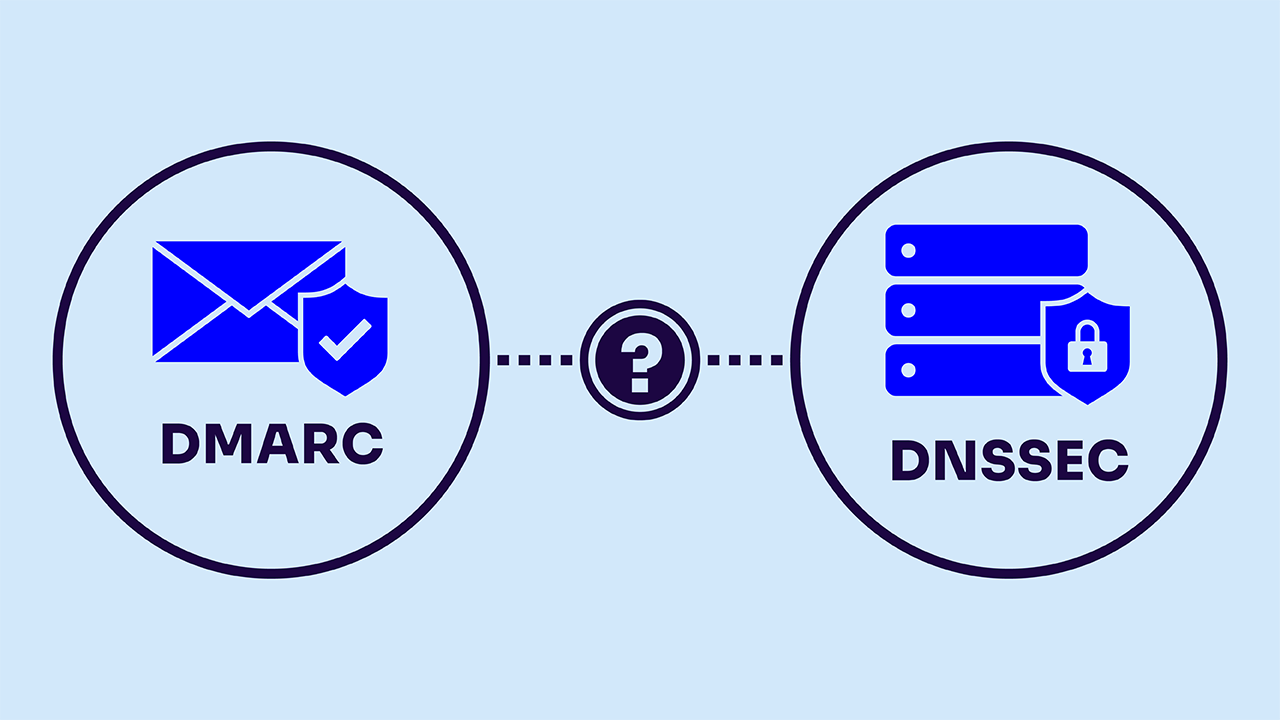
Your team is ready to strengthen its DMARC policy, but a question from the DNS team puts the rollout on hold: Do you need DNSSEC first?
The short answer is no, DMARC doesn’t require DNSSEC.
You can publish a DMARC policy and use p=reject without signing your DNS zone. For a message to pass DMARC, either SPF or DKIM must pass and align with the domain in the visible From address. DNSSEC validation isn’t an additional pass requirement.
That doesn’t make DNSSEC unnecessary though. DMARC helps receivers assess whether email uses your domain legitimately, while DNSSEC helps them verify the DNS data those checks depend on. Understanding that distinction lets your team move authentication forward while giving DNS protection its own owner, deployment plan, and success criteria.
Why DMARC works without DNSSEC
DMARC, short for Domain-based Message Authentication, Reporting, and Conformance, connects email authentication to the domain recipients see in the From address. It also lets domain owners request reports and publish a preferred treatment for messages that fail its checks.
Receiving systems use DNS to find several pieces of that information:
- DMARC policies, published as TXT records at names such as _dmarc.example.com
- SPF records, which identify authorized sending sources for the domain SPF evaluates
- DKIM public keys, found using the signing domain and selector specified in a message’s signature
DMARC alignment is the connection between the authenticated domain and the visible From domain. A passing SPF or DKIM result must have that connection to count toward a DMARC pass. Authenticating with an unrelated domain doesn’t qualify just because the authentication itself succeeds.
The current DMARC specification, RFC 9989, replaced RFC 7489 in May 2026. It discusses DNSSEC as a way to protect DNS data against forged responses, but doesn’t make it a prerequisite for DMARC.
For your rollout, check that legitimate services authenticate with the required alignment before strengthening the policy. A DNSSEC project can proceed alongside that work without becoming an artificial gate on enforcement.
What DNSSEC adds to email authentication
DNSSEC stands for Domain Name System Security Extensions. It adds cryptographic signatures to DNS data so a validating resolver, the service that looks up DNS answers, can verify the data’s origin and integrity. A valid chain of trust connects those signatures to a key the resolver already trusts.
Consider a forged DNS response that substitutes an attacker’s public key for your DKIM key. If a receiver accepts that substitute, it could check a message against the wrong key. With the relevant DNS data correctly signed and DNSSEC validation working, the resolver can detect the forgery and refuse to treat it as a valid answer.
ICANN’s explanation of DNSSEC describes how this protection depends on both signing and validation. Publishing signed data supplies the evidence, and a validating resolver checks it. Signing your zone doesn’t make every receiver validate its DNS lookups, so confirm protection through a validating resolver when testing your deployment.
DMARC and DNSSEC protect different parts of the process
| Question | DMARC | DNSSEC |
| What does it assess? | Whether SPF or DKIM authenticates with alignment to the visible From domain | Whether DNS data has a valid cryptographic chain of trust |
| What does it help address? | Unauthorized use of your domain in email | Forged DNS data presented to validating resolvers |
| What should your team configure? | Authentication, alignment, and a DMARC policy | DNS signing and the records needed to establish trust |
| Does it encrypt email content? | No | No |
| Does it require the other control? | DMARC doesn’t require DNSSEC | DNSSEC doesn’t require DMARC |
Use DMARC reports and message testing to assess authentication and use DNS validation checks to assess DNSSEC. A passing result for one doesn’t establish that the other works.
DNSSEC can’t correct bad settings or compromised administration
DNSSEC authenticates published data. It doesn’t decide whether that data represents a sensible security policy. If an administrator accidentally publishes the wrong SPF configuration, the DNS provider can sign the incorrect record perfectly well. Validation won’t repair the mistake.
The same boundary matters during an account compromise. If an attacker controls a DNS management account and the provider signs the attacker’s changes, valid signatures may accompany malicious settings. DNSSEC operational guidance also addresses the consequences of compromised signing keys. Protect registrar and DNS accounts with strong authentication, restricted access, and change monitoring alongside DNSSEC.
Coverage needs attention too. Signing your primary zone doesn’t automatically sign a separately delegated subdomain or a record hosted in another provider’s zone. An SPF lookup may depend on another domain, and a DKIM lookup may follow an alias to a third-party service. Review those dependencies before describing your authentication records as fully protected by DNSSEC.
Email threats also extend beyond DNS and domain authentication. A lookalike domain can have valid authentication and signed DNS while still misleading a recipient. An attacker using a compromised legitimate mailbox may send authenticated mail. Keep account protection, filtering, and verification procedures for sensitive requests in place.
Give DNSSEC a place on the roadmap without delaying DMARC
DNSSEC deserves consideration as a DNS security control in its own right. The IETF identifies it as a best current practice for authenticating DNS data because its relevance extends beyond organizations with unusually sophisticated attackers.
Your deployment plan should reflect how your business uses DNS and who can operate it reliably. A company with many delegated zones needs to map the boundaries between providers. A team changing DNS hosts needs to coordinate signing and parent-zone records during the migration. An organization planning DANE for email transport has a direct DNSSEC dependency.
Meanwhile, a ready DMARC deployment can keep moving. With p=none, your policy doesn’t request quarantine or rejection based on a DMARC failure. Moving to p=quarantine or p=reject changes that request, although receivers retain the final handling decision. Evaluate legitimate mail before making the change, and give the DNSSEC work a separate schedule and accountable owner.
Build a rollout that covers senders, DNS, and ongoing changes
Email administrators, security teams, and DNS owners each hold part of the picture. A shared plan should identify what each team will configure, how it will verify the result, and who will respond when something changes. These five steps turn that plan into work your team can track.
- Identify legitimate sending services and their owners. Review marketing platforms, support systems, billing tools, and less frequent senders. DMARC reports help reveal authentication activity, but an unfamiliar source still needs investigation. Combine the reports with your service inventory and business contacts before deciding which senders belong.
- Configure authentication and verify alignment. Check each service’s SPF and DKIM setup against its documented requirements. A DMARC pass needs at least one aligned authentication pass, but configuring both methods where supported can improve resilience. Valimail’s guide to SPF, DKIM, and DMARC explains how the controls work together. Test important message types before changing enforcement.
- Confirm DNSSEC responsibilities with your providers. Establish who signs each relevant zone, maintains signing keys, and manages parent-zone trust records. Check delegated subdomains and third-party dependencies individually. Ask how providers handle key changes, service migrations, and recovery so the rollout doesn’t depend on assumptions about another team’s responsibilities.
- Validate changes before and after deployment. Check relevant DNS records through validating resolvers and test actual email authentication. Where practical, rehearse DNSSEC changes on a test zone before production. Record the expected results, the change owner, and the provider-supported recovery procedure. Keeping unrelated changes separate can make diagnosis easier if something goes wrong.
- Monitor the controls after launch. Watch authentication results as services change, and monitor DNSSEC validation and signature health through your DNS tooling. Review provider notifications and investigate unexpected record changes. Assign a regular review schedule so new vendors, retired services, and DNS migrations receive the same attention as the initial deployment.
Recognize the difference between unsigned DNS and broken DNSSEC
An unsigned zone and a zone with invalid DNSSEC signatures present different situations. A resolver can normally use data from an unsigned zone, though it lacks DNSSEC authentication. When a resolver expects signed data and validation fails, it may instead return a server-failure response, commonly called SERVFAIL. The DNSSEC validation rules explain that failure behavior.
Problems can arise from expired signatures, mismatched parent-zone trust records, or an incorrectly coordinated key change. Depending on the affected records and the receiving system, the result can interrupt authentication checks or delay email delivery. DNSSEC doesn’t inherently conflict with DMARC, but both depend on functioning DNS.
If mail problems begin after a DNS change, compare lookup results from validating resolvers and inspect the relevant signing and delegation records. Work with the DNS provider to repair the validation failure. Changing DMARC to p=none doesn’t repair a broken DNSSEC chain and may leave the original lookup problem unresolved.
Keep domain authentication separate from email transport protection
DNSSEC discussions often expand into DANE because both appear in email security plans. The dependency is different: DANE for SMTP requires DNSSEC to authenticate the DNS information it uses to verify a receiving mail server’s TLS credentials.
That protects a different part of email delivery. DANE supports authenticated, encrypted connections between mail servers that use it while DMARC evaluates authentication and alignment for the domain in a message’s visible From address. Deploying one doesn’t complete the other’s job.
If DANE is on your roadmap, include DNSSEC in that project’s requirements. Keep its acceptance tests separate from your DMARC tests: Successful transport authentication doesn’t tell you whether a message passes DMARC, and a DMARC pass doesn’t establish that its transport was encrypted.
Move your email authentication plan forward with Valimail
A useful starting point is understanding which services send as your domain and where authentication needs attention. Valimail Monitor provides free, ongoing visibility into sending services and authentication results. Teams that need help managing sender configuration and DMARC policies can explore Valimail Enforce.
Use that visibility to work with service owners, resolve authentication problems, and prepare for enforcement. Coordinate DNSSEC signing and validation with the teams and providers responsible for your DNS. To start mapping your email environment, try Valimail Monitor free.
FAQs
Does DMARC require DNSSEC to work?
No. DMARC works with unsigned DNS zones. It uses published DNS information to evaluate SPF or DKIM authentication and alignment with the visible From domain. DNSSEC adds protection for the DNS data involved in those checks, but it isn’t a condition for deploying DMARC or achieving a DMARC pass.
Should I wait for DNSSEC before moving to p=reject?
DNSSEC isn’t a technical prerequisite for p=reject. Base the DMARC change on whether legitimate sending services authenticate correctly and whether your team has investigated unresolved failures. You want to plan DNSSEC according to your DNS requirements and any applicable organizational obligations, without assuming it must precede DMARC enforcement.
Can DNSSEC prevent phishing without DMARC?
DNSSEC can help defend against forged DNS answers, but it doesn’t check a message’s From-domain alignment or publish instructions for handling DMARC failures. It also doesn’t stop lookalike domains or compromised mailboxes from sending deceptive messages. Use DNSSEC alongside domain authentication and other email security controls.
Can enabling DNSSEC disrupt email?
Incorrect DNSSEC configuration can cause validating resolvers to reject DNS answers. That can interfere with authentication or mail routing, depending on the records affected. Test signing and trust records, monitor validation, and coordinate key changes and provider migrations. A correctly operated DNSSEC deployment can support DMARC.
Does DANE require DNSSEC even though DMARC doesn’t?
Yes. DANE for SMTP relies on DNSSEC-validated TLSA records to authenticate a receiving server’s TLS credentials. DMARC doesn’t have that dependency because it evaluates domain authentication and alignment through SPF and DKIM. Treat DANE transport security and DMARC domain authentication as separate requirements in your email security plan.