TLDR: Cyber Monday is the biggest send of the year, and it arrives at the end of a five-day blitz. By Monday morning, mailbox providers have already judged your domain on everything you sent since Thanksgiving. Keep spam complaints under 0.1%, suppress fatigued subscribers mid-week, make unsubscribing easier than reporting spam, and watch your reputation data before you hit send on the big one.
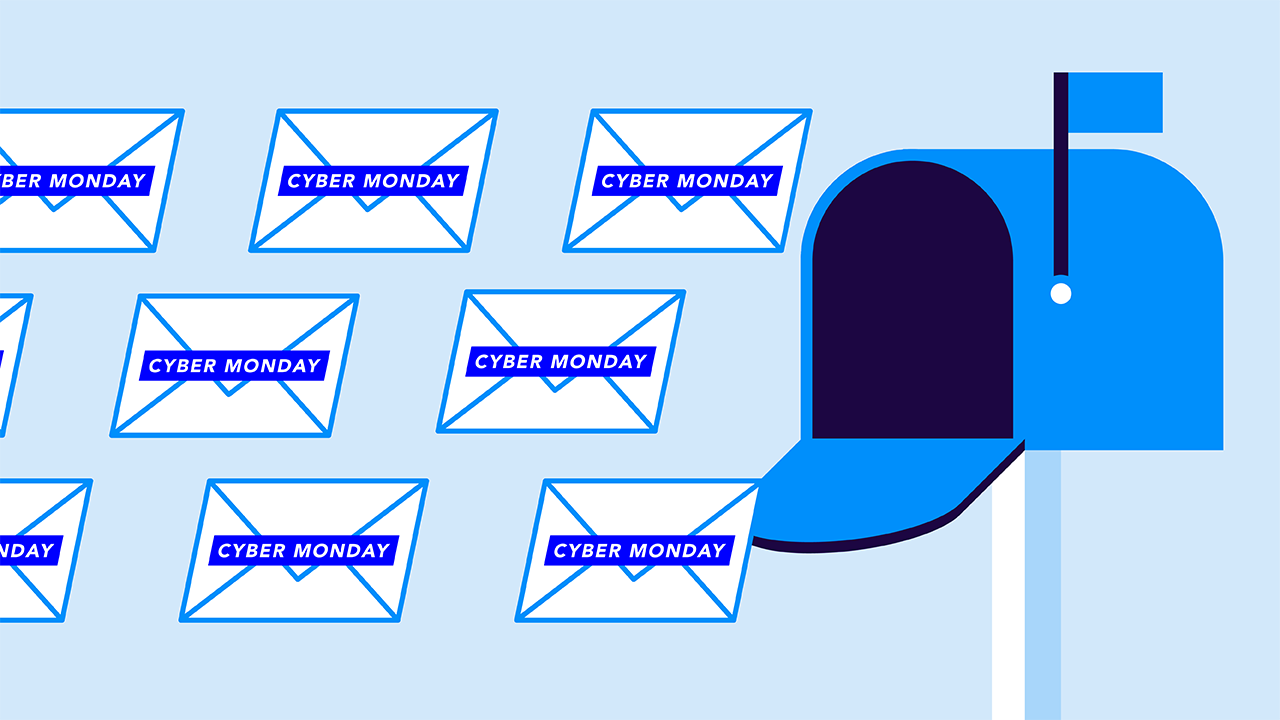
Black Friday gets all the attention, but Cyber Monday gets the volume.
For a lot of brands, Monday is the single largest email day of the year. But it’s also the fifth campaign in five consecutive days:
- Thanksgiving teaser
- Black Friday launch
- Saturday reminder
- Sunday “last chance” email
- Cyber Monday campaign
That’s a lot of important emails in a short amount of time.
Gmail, Yahoo, and Outlook don’t evaluate Monday’s email on its own. They evaluate it against everything your domain sent since Thursday. Every spam complaint from the weekend, every bounce, every subscriber who ignored the other emails—it all contributes to Monday’s inbox placement (or lack thereof).
Your Cyber Monday deliverability gets decided over the weekend. Fortunately, you control most of what happens between now and then.
Why Cyber Monday is harder than Black Friday
When you send on Black Friday, your sender reputation likely reflects a relatively normal November. By Monday, it reflects a week of elevated volume, higher frequency, and fatigued audiences that are starting to tune out. Subscribers who were happy to hear from you on Friday are less thrilled by the fourth email, and some of them express that by hitting report spam instead of unsubscribe.
That doesn’t mean you’re doing something wrong. That’s just the inherent fatigue that comes from holiday marketing.
Meanwhile, every other brand is doing the same thing. Mailbox providers are processing enormous volume and tightening filters accordingly. A sender whose metrics slipped over the weekend looks a lot riskier on Monday than they did on Thursday.
The takeaway: Treat Cyber Week as one continuous campaign with a single combined reputation. These aren’t one-off sends. They’re a collective.
The hardest-hitting number that impacts your Cyber Monday
If you track one deliverability metric this week, make it your spam complaint rate.
Google and Yahoo both publish thresholds for bulk senders, and Google’s sender guidelines are straight to the point:
- Under 0.1%: The target. You’re in good standing.
- Approaching 0.3%: The danger zone. Deliverability starts degrading.
- At or above 0.3%: You’re out of compliance, and inbox placement can drop sharply.
Let’s put that in real numbers. On a send to 500,000 subscribers, 0.3% is 1,500 complaints. Spread across a five-day blitz to an increasingly fatigued list, that number gets easier and easier to hit. And complaints don’t reset overnight—they accumulate into your reputation, which is exactly why Sunday’s send can hurt Monday’s.
Your sender reputation is shared (like it or not)
Mailbox providers judge your domain, not your department. That means they’re looking at:
- Marketing’s promotional blasts
- Transactional order confirmations
- Delivery notifications
- Support team ticket updates
- The new SMS-to-email tool
If they all send from your domain, they all draw from the same reputation pool.
So when one team sends a “we miss you” campaign to a two-year-old unengaged list on Sunday night, complaints spike, and Monday morning your order confirmations start landing in spam too. The customer who just bought something can’t find their receipt. And the team that caused it may never find out.
This is what makes Cyber Week deliverability an ownership problem as much as a tactics problem.
Nobody’s doing anything wrong on purpose. Everybody’s sending, but nobody’s looking at the combined impact. Instead, before the week starts:
- Get the teams that send as your domain into one conversation
- Agree on who’s sending what and when
- Choose one person responsible for watching reputation data through Monday
- Make adjustments based on the data
Your Cyber Week day-by-day sending playbook
Here’s how to plan your 5 big sends:
| Day | What you’re sending | What to do |
| Before Thanksgiving | Early access, teasers | Suppress subscribers with no engagement in 6+ months. Confirm one-click unsubscribe works on every sending platform. |
| Thanksgiving | Preview or early deal | Send to your most engaged segment first. Establish a clean baseline. |
| Black Friday | Main launch | Your first big volume push. Watch complaints and bounces within the first few hours. |
| Saturday–Sunday | Reminders, last chance | Narrow the audience. Exclude anyone who’s ignored every send so far. Check reputation data Sunday evening. |
| Cyber Monday | Biggest send of the week | Send to engaged segments first, then expand only if metrics are healthy. Stagger rather than blast. |
How to protect your big Cyber Monday send(s)
Your Cyber Monday performance is determined by everything you do before Monday. These are the 6 things that should be at the top of your priority list:
- Suppress unengaged recipients before the week starts
- Ramp volume gradually (no spikes)
- Make unsubscribing painfully easy
- Space your sends
- Keep transactional mail separate
- Keep subject lines out of the filter’s way
1. Suppress unengaged recipients before the week starts
Subscribers who haven’t opened or clicked in six months are the ones most likely to complain. They’re also the least likely to buy. Holiday season is the worst possible time to try reactivating them. Pull them out now and run a re-engagement campaign in January instead.
2. Ramp volume gradually (no spikes)
Mailbox providers watch for sudden jumps. A sender who goes from 50,000 emails a day to 800,000 overnight looks super suspicious, and the usual result is throttling (temporary deferrals that delay delivery for hours). On a day where timing matters, delayed can be just as bad as blocked.
Increase volume gradually through the week, and send to your best segments first. That way, when they engage with your emails, it improves the deliverability and performance of all latter sends.
3. Make unsubscribing painfully easy
Wait, what? Make unsubscribing…easy?
Yes, that’s not a typo. If someone wants to unsubscribe from your email, they’re going to do it in one of two ways:
- Unsubscribe: Remove themself from your email list. They might not even remove themself entirely—they may just move to different marketing emails or reduce the frequency (depending on your email preference center options).
- Report spam: If they can’t find the unsubscribe button, they’ll move to the next best thing: Report spam. This doesn’t just remove them from your list, though—it hurts your entire domain reputation.
Plus, Google, Yahoo, and Microsoft all require one-click unsubscribe for bulk senders, which puts an unsubscribe option at the top of the email. Confirm it’s working on every platform you send from, including the seasonal ones.
4. Space your sends
Two emails to the same person on the same day, from two different teams, is going to lead to complaints. Coordinate the calendar across teams and cap how often any one subscriber hears from you during the week.
5. Keep transactional mail separate
If you can, send marketing and transactional emails from different subdomains. You might use something like promo.yourbrand.com and orders.yourbrand.com. That way a rough promotional weekend doesn’t drag order confirmations and password resets into spam. This takes setup work from IT, so you’ll need to get ahead (and warm up those IPs advance).
6. Keep subject lines out of the filter’s way
Filters are far more influenced by engagement and reputation than by wording. A few patterns still raise flags, though:
- All-caps subject lines
- Stacks of exclamation points
- Fake “RE:” or “FWD:” prefixes
- Misleading urgency
Clear and specific always beats loud and obnoxious…and it also gets fewer complaints.
What to watch Monday morning
Check these metrics before your biggest send goes out. Poor metrics doesn’t mean Cyber Monday is cancelled. It just means you’ll need to pivot a bit, and it’s way better than just blasting away.
| Signal | Where to find it | What it tells you |
| Spam complaint rate | Google Postmaster Tools, Yahoo Sender Hub | Whether the weekend pushed you toward the 0.3% line |
| Domain reputation | Google Postmaster Tools | How Gmail currently rates your sending domain |
| Deferrals (4xx codes) | Your ESP’s delivery logs | Throttling in progress — slow down |
| Hard bounces | Your ESP | List hygiene problems, or a stale segment slipping in |
| Authentication pass rate | DMARC reporting | Whether a sender is failing SPF, DKIM, or DMARC |
If complaint rates are elevated or deferrals are climbing, don’t push the full send at once. Send to your most engaged segments, let the numbers settle, and expand from there. A smaller Monday that lands beats a bigger one that doesn’t land at all.
Email authentication is the non-negotiable to your Cyber Week sending
None of the tactics above help if mailbox providers can’t verify your email is from you. SPF, DKIM, and DMARC are checked before engagement, content, or reputation data even come into play. Plus, Google, Yahoo, and Microsoft all require them from bulk senders.
Cyber Monday is also a favorite day for fake deal emails. Attackers know your customers are expecting promotions from brands they trust, and an unprotected domain lets them show up as you.
The brands that win Cyber Monday aren’t sending better subject lines. They’re sending to cleaner lists, at a steadier pace, from a domain mailbox providers already trust (and they started paying attention before Thursday).
And that’s you, right now. You’re on the right track.
Check your domain to see your current authentication status, and get Valimail Monitor running to see every service sending as your brand this season. Both are free, and both take less time than your next subject line debate.
Frequently asked questions
What spam complaint rate should I stay under during Cyber Week?
Google recommends keeping your spam complaint rate below 0.1% and never reaching 0.3%, the threshold where deliverability degrades and bulk senders fall out of compliance. Yahoo uses similar guidance. During a multi-day holiday send, complaints accumulate across campaigns, so monitor the rate daily rather than only after your biggest send.
Why do my emails go to spam on Cyber Monday?
The most common causes are elevated complaint rates from earlier in the week, sudden volume spikes that trigger throttling, sending to unengaged subscribers, and authentication failures. Mailbox providers evaluate Cyber Monday email against your domain’s recent reputation, so problems from the weekend often show up on Monday.
Should I send more emails during Cyber Week?
More email to engaged subscribers usually performs well. More email to your entire list usually doesn’t. Increase frequency for people who’ve opened or clicked recently, narrow your audience as the week goes on, and suppress anyone who hasn’t engaged in six months or more.
What is email throttling?
Throttling is when a mailbox provider temporarily limits how fast it accepts your email, usually in response to a sudden volume increase or reputation concerns. It shows up as 4xx deferral codes in your delivery logs. Messages eventually deliver, but delays of several hours can wipe out the value of a time-sensitive promotion.