TLDR: The Gmail blue checkmark is a verified badge that appears beside a sender’s name and logo. To get one, your domain needs DMARC at enforcement, a BIMI record, and a Verified Mark Certificate (VMC) for a trademarked logo. Google doesn’t charge for the checkmark, but the certificate is a paid annual product.
Your recipients have learned to distrust their inboxes, and it’s hard to blame them. A sender name is easy to fake, and a convincing logo inside a message takes about a minute to copy. The blue checkmark in Gmail is one of the few signals an impostor can’t borrow. It tells the reader that the message came from the domain it claims, and that the logo beside it belongs to the sender.
That’s also why you can’t buy one or switch it on in a settings menu. You earn it with email authentication and a certificate that ties your logo to your organization. Here’s what the blue checkmark means, what it takes to get one, and what to check when it doesn’t appear.
What is the Gmail blue checkmark?
The Gmail blue checkmark is a verification badge that Gmail displays next to a sender’s name when the sender has proven two things:
- The message came from their domain
- They own the logo shown with it.
Google introduced it in May 2023.
The checkmark builds on Brand Indicators for Message Identification (BIMI), the email standard that puts a brand’s logo next to its messages. BIMI gets your logo into the inbox, and a Verified Mark Certificate adds the checkmark on top. Our BIMI email guide walks through how BIMI email works step by step.
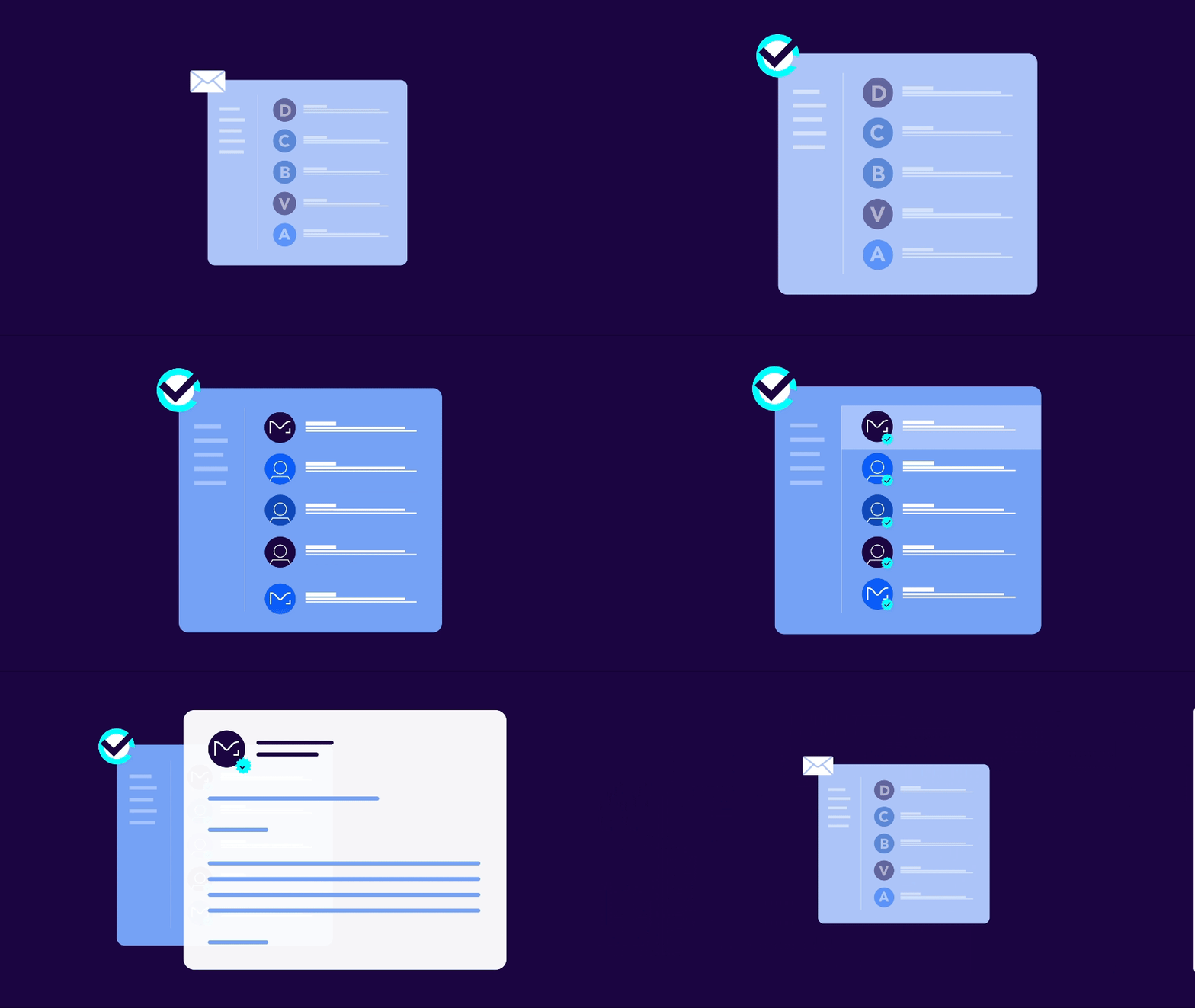
Recipients see the checkmark beside your sender name when they open a message. Hovering over it brings up a note saying the sender has verified that they own the domain and the logo in the profile image.
What you need to get the checkmark
Gmail offers senders two levels of brand display. Both start with Domain-based Message Authentication, Reporting, and Conformance (DMARC) at enforcement, and the difference between them comes down to one certificate.
| Logo in Gmail | Logo plus blue checkmark | |
|---|---|---|
| DMARC at enforcement | Required | Required |
| BIMI record in DNS | Required | Required |
| Logo in SVG Tiny PS format | Required | Required |
| Mark certificate | Common Mark Certificate (CMC) or VMC | VMC only |
| Registered trademark | No, with a CMC | Yes |
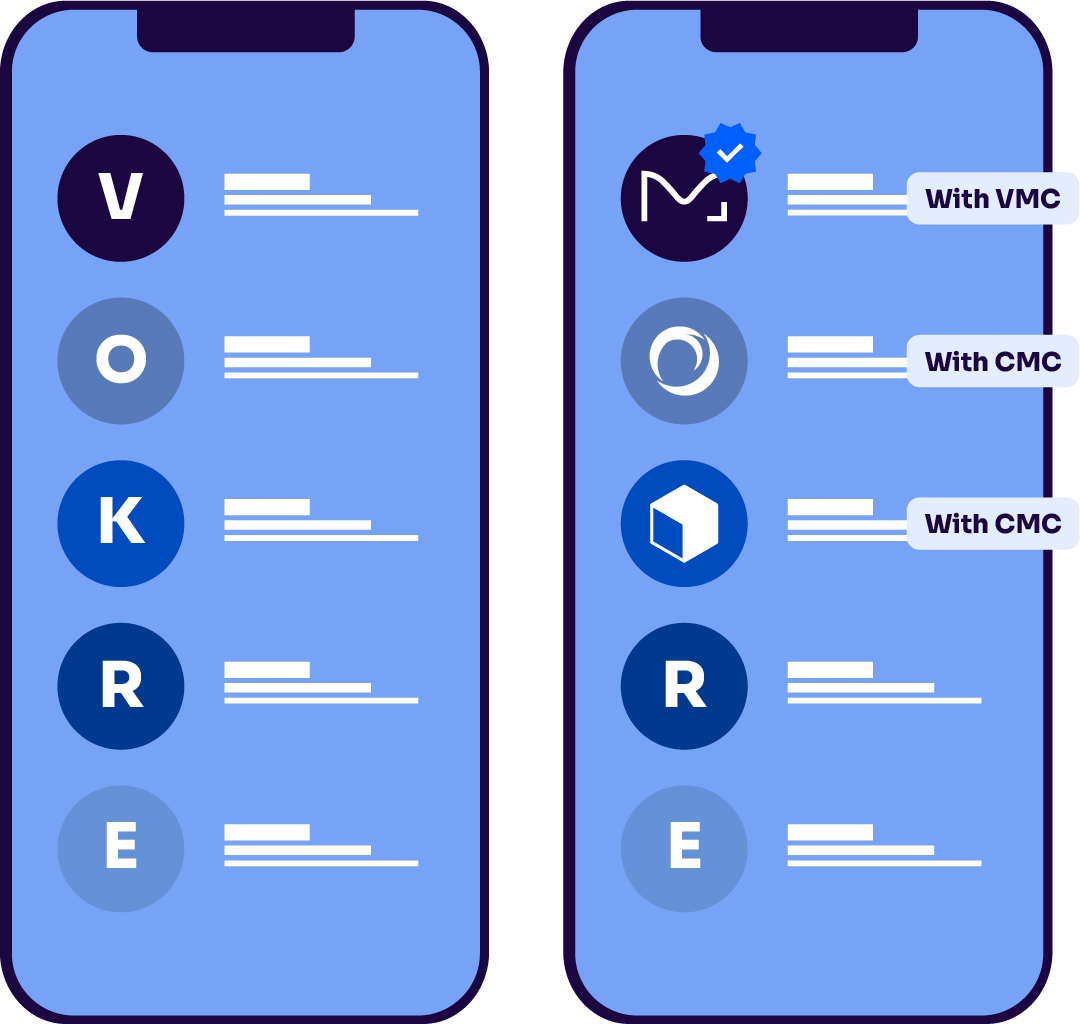
A certificate authority (CA) issues a VMC after it confirms your organization’s identity and your registered trademark. A CMC covers logos that aren’t trademarked, as long as you can show the logo has been in public use for at least 12 months. Both put your logo in Gmail, and the VMC is the one that earns the checkmark.
One limit applies to everyone: Personal @gmail.com addresses can’t get the checkmark. It’s tied to a domain you own and send from.
How to get the Gmail blue checkmark
Each step depends on the one before it, so the order matters.
- Move DMARC to enforcement. Publish a policy of p=quarantine or p=reject with pct set to 100, and sign every message with DomainKeys Identified Mail (DKIM). Gmail won’t display a logo for a domain at p=none. Our DMARC guide covers the path there.
- Confirm your trademark. A VMC requires a logo registered with a recognized trademark office, such as the USPTO in the United States or the EUIPO in the European Union. If yours isn’t registered, you can start with a CMC and move to a VMC later.
- Prepare your logo. Convert it to SVG Tiny PS, keep it square, and give it a solid background. Transparent backgrounds render unpredictably from one inbox to the next. Our BIMI logo chapter has the conversion steps.
- Get your VMC. Apply through a CA and complete its identity and trademark checks. You’ll receive a PEM file that contains the certificate and your logo. See our Verified Mark Certificate chapter for the application process.
- Publish your BIMI record. Add a TXT record at default._bimi.yourdomain.com that points to your logo and your PEM file. Our BIMI record chapter explains each tag.
Then send a test message to a Gmail account, and run your domain through Valimail’s free BIMI checker.
What the Gmail blue checkmark costs
Google doesn’t charge for the checkmark. Your cost is the VMC, which CAs sell as an annual certificate, plus trademark registration if you don’t have one yet.
Time is the bigger variable. With a registered trademark and DMARC already at enforcement, most of the wait is the CA’s validation. Without them, registering a trademark and reaching enforcement can each take months.
Is it worth it? The checkmark’s value comes from how hard it is to get. Anyone can paste a logo into a message, but the checkmark only appears after a third party has verified the sender.
Yes, it’s worth it.
What the checkmark proves and what it doesn’t
The checkmark confirms that a message passed DMARC for the sending domain and that a CA verified the sender’s right to the logo. It says nothing about what’s inside the message. A verified sender can still send email you don’t want.
It also had an early stumble. Weeks after the 2023 launch, a security researcher showed a scam message carrying the checkmark, made possible by a gap in how some relayed messages were authenticated. Google closed the gap by tightening the authentication it requires for BIMI.
The checkmark is only as strong as the authentication under it, which is why DMARC enforcement comes first.
What about Apple Mail, Yahoo Mail, and Outlook?
The blue checkmark is Gmail’s own badge, but the setup behind it carries over to other inboxes:
- Microsoft Outlook: Doesn’t support BIMI
- Apple Mail: Displays your logo if you have a VMC. CMCs aren’t supported.
- Yahoo Mail and AOL: Display logos without requiring a certificate, depending on your sending reputation

Why your checkmark or logo isn’t showing
If you’ve finished setup and nothing appears, work down this list:
- Your DMARC policy isn’t fully enforced: Look for p=none or a pct value under 100
- A sending service is failing authentication: One marketing platform sending without aligned DKIM can keep the logo off those messages. Your DMARC reports show which one.
- The logo appears without the checkmark: Your record points to a CMC, and the checkmark needs a VMC
- The PEM file can’t be reached: Confirm the URL in your BIMI record is correct and publicly available over HTTPS
- The certificate expired: VMCs renew annually, and a lapsed certificate takes the logo and the checkmark with it
- The logo file fails validation: It has to be SVG Tiny PS, which a standard SVG export won’t produce
- Your sending reputation is low: Gmail can hold back a logo from a domain with a high spam complaint rate
Valimail’s free BIMI checker shows which of these is the problem.
Get your checkmark without the DNS work
For something so small, the checkmark has a lot of moving parts: a DMARC policy, a certificate, a logo file, and a DNS record that all have to stay in sync. Valimail takes care of each one.
Valimail Enforce gets your domain to DMARC enforcement. Valimail Amplify manages your VMC or CMC and configures your logo across your domains. Valimail is a DigiCert company, and DigiCert issues VMCs, so the certificate and the setup come from the same place.
Ready to get started? Add your logo to your emails with Valimail Amplify.
Frequently asked questions about the Gmail blue checkmark
What does a blue checkmark mean on Gmail?
A blue checkmark in Gmail means the sender has verified that they own the domain the message came from and the logo displayed with it. Gmail shows it for senders that pass DMARC and hold a Verified Mark Certificate.
How do I get a verified blue checkmark in Gmail?
Set your DMARC policy to p=quarantine or p=reject at 100%, get a Verified Mark Certificate for your trademarked logo, and publish a BIMI record that points to it. Gmail adds the checkmark automatically once all three are in place.
Does it cost money to be verified in Gmail?
Google doesn’t charge for the blue checkmark. You do pay a certificate authority for the Verified Mark Certificate, which renews annually, and for trademark registration if your logo isn’t registered yet.
Can I get a blue checkmark on a personal Gmail account?
No. The checkmark is tied to a sending domain with DMARC, BIMI, and a Verified Mark Certificate. Google owns gmail.com, so an address ending in @gmail.com can’t qualify.
Do I need a VMC, or will a CMC work?
A Common Mark Certificate gets your logo into Gmail, and a Verified Mark Certificate adds the blue checkmark. A CMC is a good starting point if your logo isn’t a registered trademark yet.
Is the Gmail blue checkmark the same as BIMI?
No. BIMI is the standard that displays your logo next to your messages in supporting inboxes. The blue checkmark is an extra badge Gmail adds for BIMI senders whose logo is backed by a Verified Mark Certificate.
How long does it take for the checkmark to appear?
Once your BIMI record and certificate are live, the logo and checkmark usually appear within a few days as Gmail picks up the new record. If nothing shows after a week, check your DMARC policy and the certificate URL in your record.